What Is WSO2? A Complete Guide to Installing API Manager with Docker, Configuring SSL and Deploying to Production
Mahyar Tolooie ·
·
19 min read
This guide was written in October 2026 based on the latest stable releases of WSO2 products.
Almost every organization that offers digital services today sooner or later faces the question of how to expose its APIs to applications, partners and developers in a way that is secure, manageable and measurable. WSO2 is one of the best-known open-source answers to that need: a family of products for API management, identity and access management, and systems integration, available both as installable software and as cloud services (SaaS).
In this article we first get to know WSO2 the company and its product family, then examine the architecture of WSO2 API Manager and set it up step by step with Docker and Docker Compose. After that we cover configuring deployment.toml, setting up SSL/TLS with a trusted certificate, putting Nginx in front of the server and what a production deployment requires, and finally we compare WSO2 with competitors such as Kong, Apigee and Keycloak.
Section 1 of 12
What is WSO2 and what products does it offer?
WSO2 was founded in Sri Lanka in 2005 by Sanjiva Weerawarana and his colleagues — a team with a strong track record in Apache Software Foundation projects. Today the company describes itself as the largest independent vendor of open-source software for API management, integration and identity management, with more than 800 employees in countries such as the United States, the United Kingdom, Germany, India, Australia, Brazil, the UAE and Sri Lanka. In 2024 the Swedish investment firm EQT acquired WSO2, and Weerawarana remained CEO.
The company’s official website, wso2.com, is the starting point for everything: product downloads, per-product documentation (such as apim.docs.wso2.com and is.docs.wso2.com), the technical blog, the version support matrix and commercial subscription information. The source code of the installable products is published on GitHub under the Apache 2.0 license.
The product family (as of October 2026)
WSO2 API Manager: a complete API lifecycle management platform; the latest version is 4.7.0, released on April 29, 2026, and it requires JDK 21 or 25. Alongside it, WSO2 also offers the Envoy-based “API Platform Gateway” (version 1.2.0 in August 2026) and the WSO2 Kubernetes Gateway.
WSO2 Identity Server: an open-source identity and access management (IAM/CIAM) product with support for OAuth 2.0, OpenID Connect, SAML, multi-factor authentication and identity federation. The latest version is 7.3.0 (May 12, 2026).
WSO2 Integrator: the integration product family, whose best-known member is Micro Integrator (now called WSO2 Integrator: MI). MI 4.6.0 and WSO2 Integrator 5.0.0 were released on May 19, 2026.
SaaS services:Asgardeo (identity as a service, sharing its codebase with Identity Server), Bijira (cloud API management, which replaced Choreo for API Management in 2025), Devant (cloud integration) and the WSO2 Developer Platform (the new name of Choreo, an internal developer platform). The open-source version of this platform, OpenChoreo, is now a CNCF project.
Licensing and update model
One point that often causes confusion is the difference between the “open-source version” and the “commercial distribution”. The source code and the general availability (GA) releases published on GitHub are under Apache 2.0, and using them is free — even in production. The distribution downloaded from wso2.com, however, is under the WSO2 Software License (EULA), and security updates and bug fixes delivered through the WSO2 Update 2.0 tool are available only to subscribers. Open-source users receive these fixes in the next public release. Under the current policy each version is supported for at least three years, and the “release lines” introduced in March 2024 (such as APIM-4.x and IS-7.x) are supported for at least seven years.
Section 2 of 12
WSO2 API Manager architecture
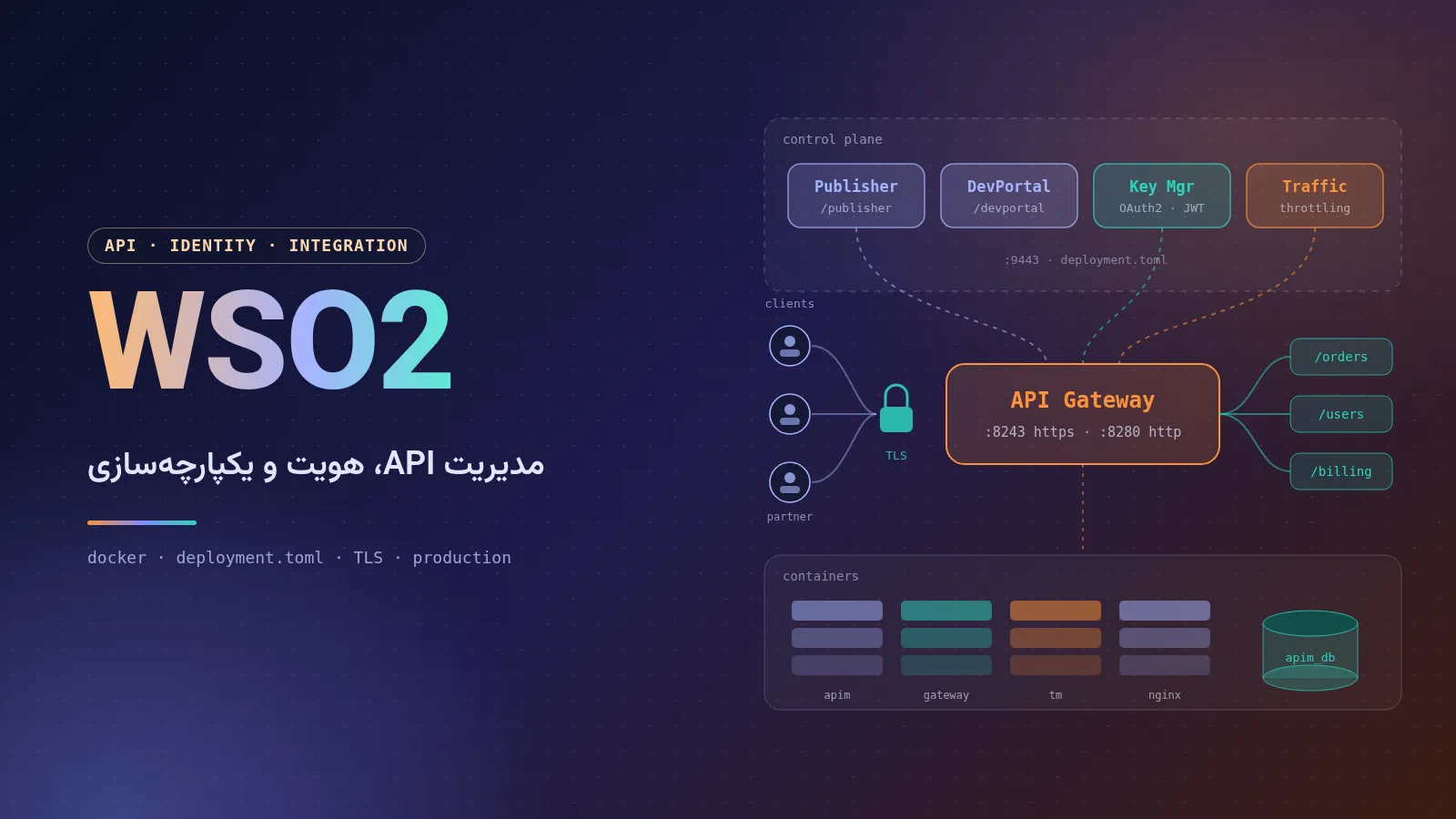
API Manager consists of several logical components. By default they all run in a single Java process (all-in-one), but in large environments they can be separated:
Publisher: the portal for API creators. API design (REST, GraphQL, WebSocket, AsyncAPI and SOAP), policy definition, versioning, documentation, lifecycle management (Created, Published, Deprecated, …) and revisions are handled here.
Developer Portal: the API store for consumers. Developers search for and try out APIs, create applications, subscribe and obtain keys or tokens.
Gateway: the heart of the data path. Every API request passes through the gateway, where authentication, rate limiting, message transformation, routing and analytics collection take place. In version 4.7, in addition to the classic (Synapse) gateway, APIs can also be deployed to the Envoy-based API Platform Gateway.
Key Manager: issues and validates OAuth 2.0 tokens and API keys. Instead of the built-in Key Manager you can use external services such as WSO2 Identity Server, Keycloak, Okta or Asgardeo.
Traffic Manager: the rate-limiting (throttling) decision engine, which processes gateway events and enforces policies such as “100 requests per minute per application” across the whole cluster.
Admin Portal: management of throttling policies, Key Managers, approval workflows, API categories and global settings.
WSO2 also ships these components as separate distributions: the API Control Plane (Publisher, Developer Portal, Admin and Key Manager), the Universal Gateway and the Traffic Manager. Each has its own Docker image (wso2/wso2am-acp, wso2/wso2am-universal-gw and wso2/wso2am-tm).
Important ports
Port
Purpose
9443
HTTPS for the management console and portals (Publisher, Developer Portal, Admin and Carbon)
9763
Internal servlet HTTP (for internal health checks; must not be exposed publicly)
8243
HTTPS API traffic on the gateway
8280
HTTP API traffic on the gateway
9099 / 8099
WebSocket (WS / WSS) on the gateway
5672
Internal messaging channel (control and throttling events)
9611 / 9711
Receiving throttling events on the Traffic Manager
Section 3 of 12
Common WSO2 use cases
Securely publishing enterprise APIs: putting legacy and new systems behind a single gateway with OAuth 2.0 authentication, rate limiting and reporting.
Open banking and fintech: WSO2 offers a financial services accelerator (the Open Banking Accelerator) on top of API Manager and Identity Server.
B2B and partner APIs: a multi-tenant Developer Portal, subscription approval workflows and monetization.
Microservice architectures: the gateway as the network edge, with central policy management across several gateways — even third-party ones such as AWS, Azure or Kong (federated gateways).
AI gateway and MCP: recent versions add features for managing LLM APIs, guardrails, intelligent routing between models and governance of MCP servers.
Single sign-on and CIAM with Identity Server or Asgardeo; and systems integration with Micro Integrator for message transformation and connecting to databases, queues and SOAP services.
Section 4 of 12
Quick installation of WSO2 API Manager with Docker
WSO2 publishes official images on Docker Hub as wso2/wso2am. For version 4.7.0 there are three variants: 4.7.0 (Ubuntu-based), 4.7.0-alpine and 4.7.0-rocky. These images run as the non-root user wso2carbon (UID 10001), and the product is installed at /home/wso2carbon/wso2am-4.7.0. For a quick test, all you need is:
docker run -d --name apim \
  -p 9443:9443 -p 8243:8243 -p 8280:8280 \
  wso2/wso2am:4.7.0

# follow the log until the server reports it has started
docker logs -f apim
The first start takes from one to several minutes depending on the hardware. After that, these URLs are available (the default username and password are admin / admin, and the browser will warn you about the self-signed certificate):
https://localhost:9443/publisher — the Publisher portal
https://localhost:9443/devportal — the Developer Portal
https://localhost:9443/admin — the Admin Portal
https://localhost:8243/ — the endpoint for calling APIs through the gateway
This mode is only suitable for getting familiar with the product and testing: data is stored in the embedded H2 database inside the container itself and is lost when the container is removed. Also, the default JVM memory is -Xms256m -Xmx1024m, which is not enough for real workloads.
Section 5 of 12
Deploying with Docker Compose and a MySQL database
For a durable environment we keep the database outside API Manager. API Manager has two main databases: apim_db (APIs, applications, subscriptions and tokens) and shared_db (users, roles and the registry). The project folder looks like this:
The official image does not include the MySQL JDBC driver, so we write a small Dockerfile that adds the driver to repository/components/lib (according to the documentation, Connector/J 8.4 is compatible with MySQL 8.4):
API Manager needs a case-sensitive collation; MySQL 8’s default collation, utf8mb4_0900_ai_ci, must not be used. The first script creates the databases and the user:
-- mysql-init/01-databases.sql
CREATE DATABASE apim_db   CHARACTER SET utf8mb4 COLLATE utf8mb4_bin;
CREATE DATABASE shared_db CHARACTER SET utf8mb4 COLLATE utf8mb4_bin;
CREATE USER 'apimuser'@'%' IDENTIFIED BY 'Str0ng-DB-Passw0rd';
GRANT ALL PRIVILEGES ON apim_db.*   TO 'apimuser'@'%';
GRANT ALL PRIVILEGES ON shared_db.* TO 'apimuser'@'%';
FLUSH PRIVILEGES;
The table creation scripts ship with the distribution itself (dbscripts/mysql.sql for shared_db and dbscripts/apimgt/mysql.sql for apim_db). We extract them straight from the image so they match the installed version exactly:
Now we write the Compose file. The important point is that on startup the official image copies the contents of /home/wso2carbon/wso2-config-volume over the product installation folder, so it is enough to mount deployment.toml and the security files at that path with the same folder structure:
# .env  (keep this file out of Git)
MYSQL_ROOT_PASSWORD=Ch4nge-Me-Root
The files inside wso2-config must be readable by the container user (UID 10001), for example with chmod -R o+rX wso2-config. Running docker compose up -d --build brings everything up; on the first run MySQL executes the scripts, and API Manager starts only after the database is healthy. The JVM_MEM_OPTS variable is read by the api-manager.sh startup script and replaces the default memory settings.
Section 6 of 12
Key deployment.toml settings
Since version 3, almost all WSO2 configuration is centralized in a single TOML file, from which the server generates its internal XML files at startup. A minimal example for the scenario above:
[server] hostname: the domain name users use to reach the portals. If it is left as localhost, login redirects (OIDC) will send users to localhost.
[database.*]: because these values end up inside XML files, the & character in the URL must be written as &. In production, enable TLS to the database instead of useSSL=false, and keep the database on the UTC time zone.
[user_store]: the default type, database_unique_id, keeps users in shared_db; to connect to LDAP or Active Directory, change the type to read_only_ldap_unique_id or active_directory_unique_id and add the connection details.
[[apim.gateway.environment]]: the URLs shown as endpoints in the Developer Portal. When the gateway sits behind Nginx, put the public URL here.
[encryption] key: as of version 4.7, the default encryption of sensitive data has changed from RSA to symmetric AES-GCM encryption. Generate a 64-character hex key (for example with openssl rand -hex 32), keep a secure backup of it and use the same key on every node in the cluster; losing this key means losing the encrypted data.
JVM memory: set with the JVM_MEM_OPTS variable in Docker, or by editing the same variable in bin/api-manager.sh in a regular installation. Set the maximum heap to roughly half to two thirds of the container’s memory, to leave room for Metaspace and network buffers.
The [secrets] section is encrypted with the Cipher Tool. The values in brackets are plain-text passwords; after running the following command in the product folder they are replaced with encrypted text, and the rest of the file refers to them with $secret{...}:
cd /home/wso2carbon/wso2am-4.7.0
./bin/ciphertool.sh -Dconfigure
With Docker, run this command once on a copy of the distribution and put the resulting TOML file into wso2-config, or supply the secrets from a secrets management system (such as a Kubernetes Secret or Vault). Note that [super_admin] creates the admin account in the database only on the very first start; later password changes must be made from the management console (/carbon).
Section 7 of 12
Configuring SSL/TLS
By default API Manager ships with the self-signed keystore wso2carbon.jks (in repository/resources/security, password wso2carbon). This private key is identical in every installation in the world, so it must never be left unchanged in a real environment. There are two main approaches: terminating TLS on Nginx (recommended) or installing a trusted certificate directly on WSO2. Many environments do both.
Building a keystore from a Let's Encrypt certificate
Suppose you have obtained a certificate with certbot for apim.example.com and gw.example.com (both as SANs of a single certificate). First we convert the key and certificate chain to PKCS12 and then to JKS. WSO2 requires the keystore password and the private key password to be the same:
Next we import the public certificate into the default truststore (client-truststore.jks, default password wso2carbon) so that internal communication between components under the new domain name is trusted:
Put both files into wso2-config/repository/resources/security/ (a full copy of the original client-truststore.jks with the new certificate added) and declare them in the TOML file:
[keystore.tls]
file_name = "apim-tls.jks"
type = "JKS"
password = "Str0ng-Keystore-Pass"
alias = "apimcert"
key_password = "Str0ng-Keystore-Pass"

[truststore]
file_name = "client-truststore.jks"
type = "JKS"
password = "wso2carbon"
The [keystore.tls] section only changes the certificate used for HTTPS connections. The primary keystore ([keystore.primary]) is used for signing tokens and other internal tasks, and changing it on a system that already holds data must be planned carefully. Let's Encrypt certificates are renewed every 90 days; automate the conversion above in a post-renewal script (a deploy hook). That is why it is simpler to keep the public certificate on Nginx only.
Nginx as a reverse proxy with TLS termination
In this pattern users only talk to port 443, and Nginx forwards requests to the container’s ports 9443 and 8243. The configuration below is based on the pattern in the WSO2 documentation:
The http2 on; directive is supported in Nginx 1.25.1 and later; on older versions write listen 443 ssl http2; instead. After this, as we saw, set hostname in the TOML file to the public domain and proxyPort to 443. If the portals are reachable under several domain names, enable the customUrl option in the settings.json files of the Publisher, Developer Portal and Admin so that the login callback is built from the X-Forwarded-Host header. In this setup, keep ports 9443 and 8243 open only on the internal network or on 127.0.0.1.
Section 8 of 12
Deploying to production
Database and data durability
H2 is for testing only. In production use a supported MySQL, PostgreSQL, Oracle or SQL Server database, make the database itself highly available (replication or a managed cloud service), and tune the connection pool settings to the real load. For MySQL clusters, the WSO2 documentation prefers a failover configuration over a load-balanced one.
Clustering and separating components
Active-active with two all-in-one nodes: the simplest HA pattern. Both nodes connect to the shared databases and sit behind a load balancer. Because the management console depends on sessions, the load balancer must use sticky sessions (for example ip_hash).
Distributed deployment: the Control Plane, gateways and Traffic Manager on separate nodes. Gateways scale independently of the portals, and you can have separate gateways for internal and external traffic (or for production and sandbox). In the 4.x versions, gateways synchronize API artifacts from the Control Plane, so no shared file system is needed for APIs.
Kubernetes and Helm: the official wso2/helm-apim repository maintains all-in-one and distributed (Control Plane, Gateway and Traffic Manager) charts for version 4.7.0. The WSO2 Kubernetes Gateway and the API Platform Gateway are also available for Kubernetes-native architectures.
Security hardening
Change the admin password before the first start, create separate accounts with limited roles (for example Publisher-only or Subscriber-only), and don’t use the super admin account for day-to-day work.
Replace the default keystore and truststore and change all default passwords (wso2carbon).
Encrypt all passwords in the TOML file with Secure Vault and the Cipher Tool.
Make the /carbon console and the Publisher and Admin portals reachable only from the internal network or a VPN, and expose only the gateway — and the Developer Portal if needed — to the public.
Block the internal ports (9763, 5672, 9611, 9711) with a firewall.
Use the default-deny policy of 4.7 for Control Plane paths and open only the paths you need with [[resource.access_control]].
Keep up with security updates: subscribers through WSO2 Update 2.0, open-source users by upgrading to the latest public release; security advisories are published at security.docs.wso2.com.
Logging, monitoring and backups
The main logs live in repository/logs: wso2carbon.log (server log), http_access_*.log (access) and audit.log (administrative actions). Logging is configured in repository/conf/log4j2.properties. In container environments, send logs to stdout or a central collector (ELK, Loki, …). For monitoring, watch JMX and JVM metrics, the health of the /services/Version endpoint and gateway response times. API analytics data can also be sent to services such as Moesif or an ELK stack. Your backup plan must include the databases, deployment.toml, the keystores and the [encryption] key — and rehearse restoring it regularly in a test environment.
Section 9 of 12
WSO2 compared with similar products
Product
Delivery model and license
Strengths
Considerations
WSO2 API Manager
Open source (Apache 2.0) + commercial subscription; SaaS edition called Bijira
Full API lifecycle, powerful Developer Portal, built-in Key Manager, federated gateways and AI/MCP features
Java-based and relatively heavy; requires configuration know-how
Kong Gateway
Open-source core + Enterprise edition and the Konnect cloud platform
Lightweight, fast gateway on NGINX/OpenResty, large plugin ecosystem
Many management and portal features are in the commercial editions
Google Apigee
Commercial; Google Cloud service (and a hybrid model)
Advanced analytics, API monetization and complete enterprise features
High cost and dependence on Google Cloud
Tyk
Open-source gateway + commercial and cloud editions
Written in Go, lightweight, with GraphQL support
Full dashboard and portal in the commercial edition
Gravitee
Open-source edition + Enterprise edition
Good support for event-driven APIs (Kafka, MQTT, …)
Smaller user community
Azure API Management
Managed Microsoft Azure service
Deep Azure integration, self-hosted gateway option
Cost and dependence on Azure
AWS API Gateway
Fully managed, serverless AWS service
No servers to maintain, integration with Lambda and IAM
Limited developer portal and multi-cloud capabilities
In identity management, the usual comparison is WSO2 Identity Server versus Keycloak:
Criterion
WSO2 Identity Server
Keycloak
License and backer
Apache 2.0; commercial support from WSO2; same codebase as Asgardeo
CIAM and B2B, programmable authentication flows, hierarchical organizations
Enterprise SSO and simple application integration
Integration with API Manager
Native; an official Key Manager
Through the Key Manager connector
Complexity
More features, more detailed configuration
Lighter, with a very large user community
In short, if you want a complete, self-hosted platform with a Developer Portal, Key Manager and enterprise policies, and you don’t want to depend on a cloud provider, WSO2 is a very serious option. If you only need a lightweight gateway, Kong or Tyk are simpler, and if you are fully committed to one cloud, that cloud’s managed service has lower maintenance costs.
Section 10 of 12
Troubleshooting common problems
The container stops after a few minutes or throws OutOfMemoryError: align JVM_MEM_OPTS with the container’s memory limit, and investigate with docker logs and docker inspect (OOMKilled status).
Communications link failure or Access denied when connecting to MySQL: make sure API Manager starts only after MySQL is healthy (healthcheck), the driver is in components/lib, & is used in the URL, and the user is allowed to connect from '%'.
PKIX path building failed: the target server’s certificate is not in client-truststore.jks; add it with keytool -import and restart the server.
Redirect to localhost after login, or “Registered callback does not match”: check hostname and proxyPort, and enable customUrl if needed.
403 errors on custom paths after upgrading to 4.7: a result of the new default-deny policy; allow the path with [[resource.access_control]].
Invalid tokens or time-related errors: synchronize the clocks of all nodes with NTP and keep the database on UTC.
Duplicate data or odd behavior in search and keys: check the database collation; it must be case-sensitive (such as utf8mb4_bin).
Problems with port 9443: if the port is already taken on the host (for example under Rancher), shift all ports with [server] offset; with offset=1 the ports become 9444 and 8244.
Section 11 of 12
Conclusion
WSO2 is one of the few platforms that offers API management, identity and integration together, with open-source code and fully self-hosted deployment options. With its new Envoy-based gateway, symmetric encryption by default, API-bound API keys and MCP governance features, WSO2 API Manager 4.7 shows that the product is moving toward cloud-native and AI architectures. A test setup with Docker takes a few minutes, but a reliable production environment needs an external database, a trusted certificate, a reverse proxy, encrypted secrets, monitoring and regular backups. Take these steps carefully and you will have an enterprise API platform that is independent of any cloud provider.
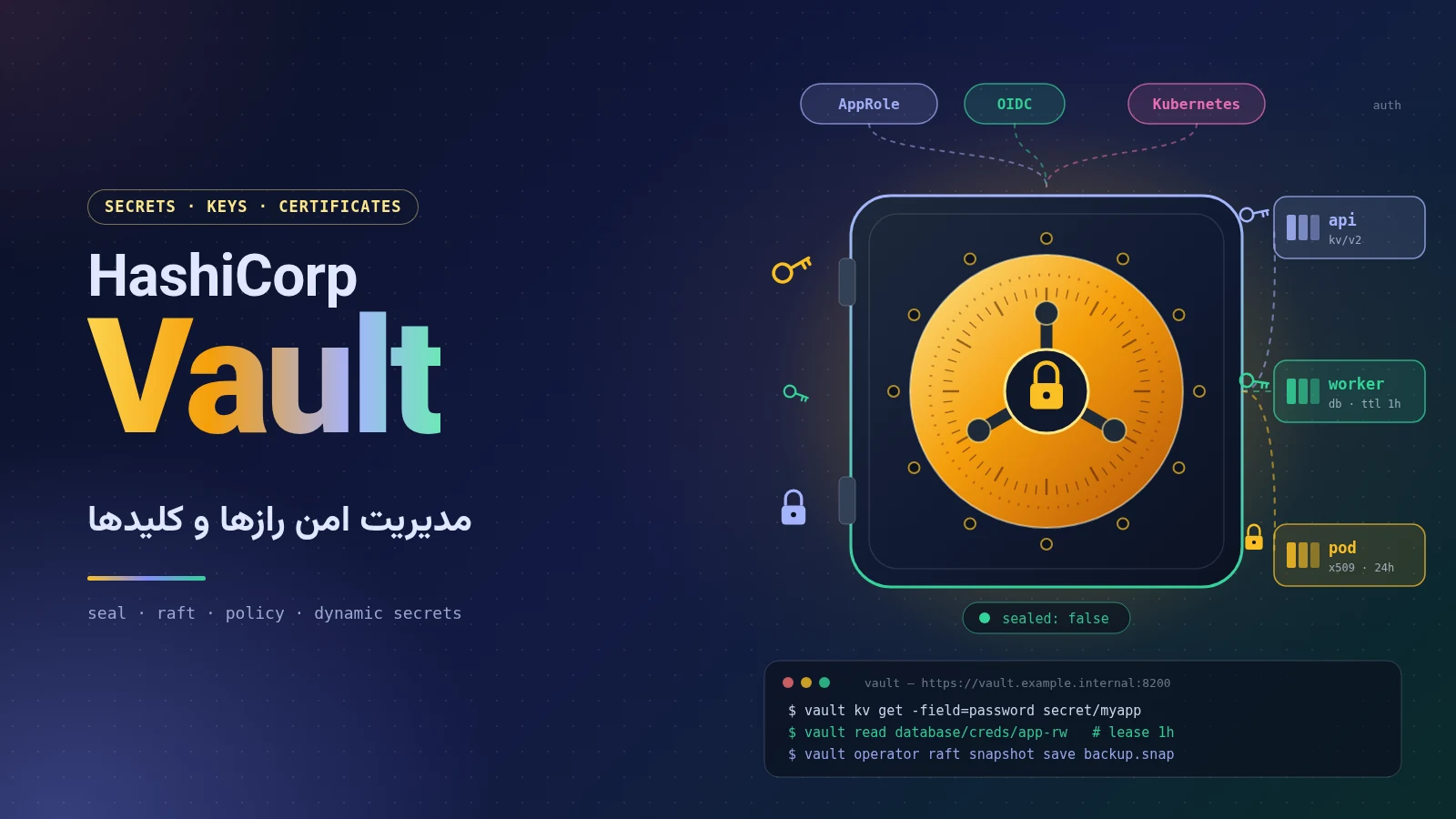
A complete, practical guide to managing secrets with HashiCorp Vault: history, the move to BSL, OpenBao and IBM’s acquisition of HashiCorp, seal/unseal and Raft, tokens and policies, AppRole and Kubernetes, dynamic secrets, PKI and Transit, a Docker Compose setup with TLS, Spring Boot integration and a production checklist.
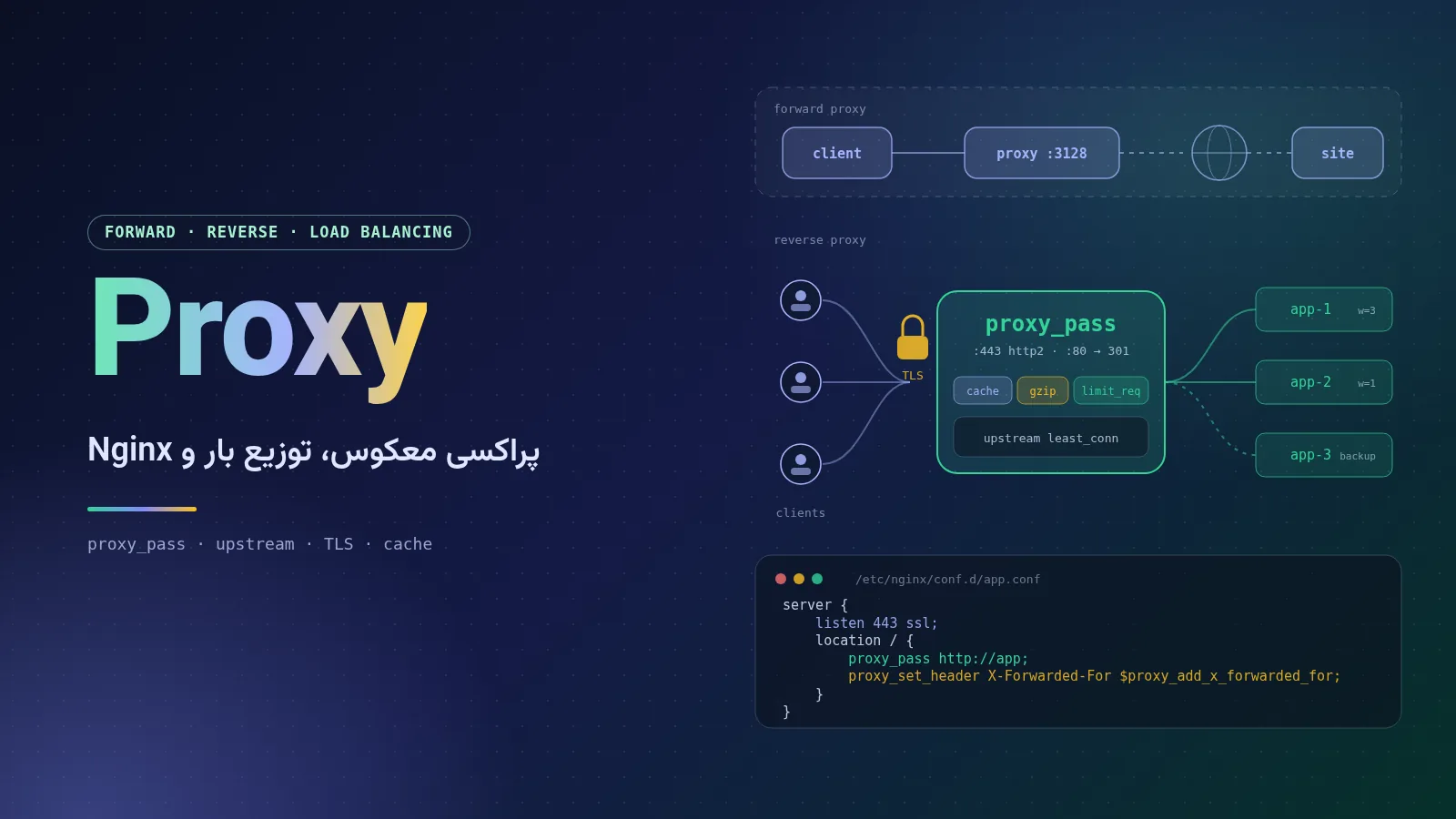
A complete, plain-language guide to proxy servers: forward, reverse and transparent proxies, HTTP and SOCKS, load-balancing algorithms, and a full Nginx tutorial covering installation, configuration structure, reverse proxying, SSL with Let's Encrypt, WebSocket, caching, rate limiting, security headers and troubleshooting 502 and 504 errors.
How to set up Call of Duty 4: Modern Warfare for LAN play: installing the multiplayer patches in the right order, entering your CD key, hosting or joining a local server, and connecting from the console.
Comments No comments yet
To leave a comment, open this page in a web browser.