What Is a Proxy and a Reverse Proxy? A Complete Nginx Guide from Concepts to Production Configuration
Mahyar Tolooie ·
·
27 min read
This guide was written in October 2026, and the Nginx versions and default behaviors it describes have been checked against the official documentation at nginx.org.
Every time you type a website address into your browser, your request most likely passes through one or more proxies before it reaches the origin server: your company’s network proxy, a CDN, a load balancer, or a web server such as Nginx sitting in front of the application. Proxies are the hidden backbone of today’s web; the security, speed, reliability and scalability of many services depend on this middle layer.
In this article we first review the concept of a proxy and its types, and then turn to Nginx: its architecture, installation, configuration structure and a set of ready-to-use configurations for reverse proxying, SSL, WebSocket, caching, rate limiting and security headers.
Section 1 of 15
1. What is a proxy?
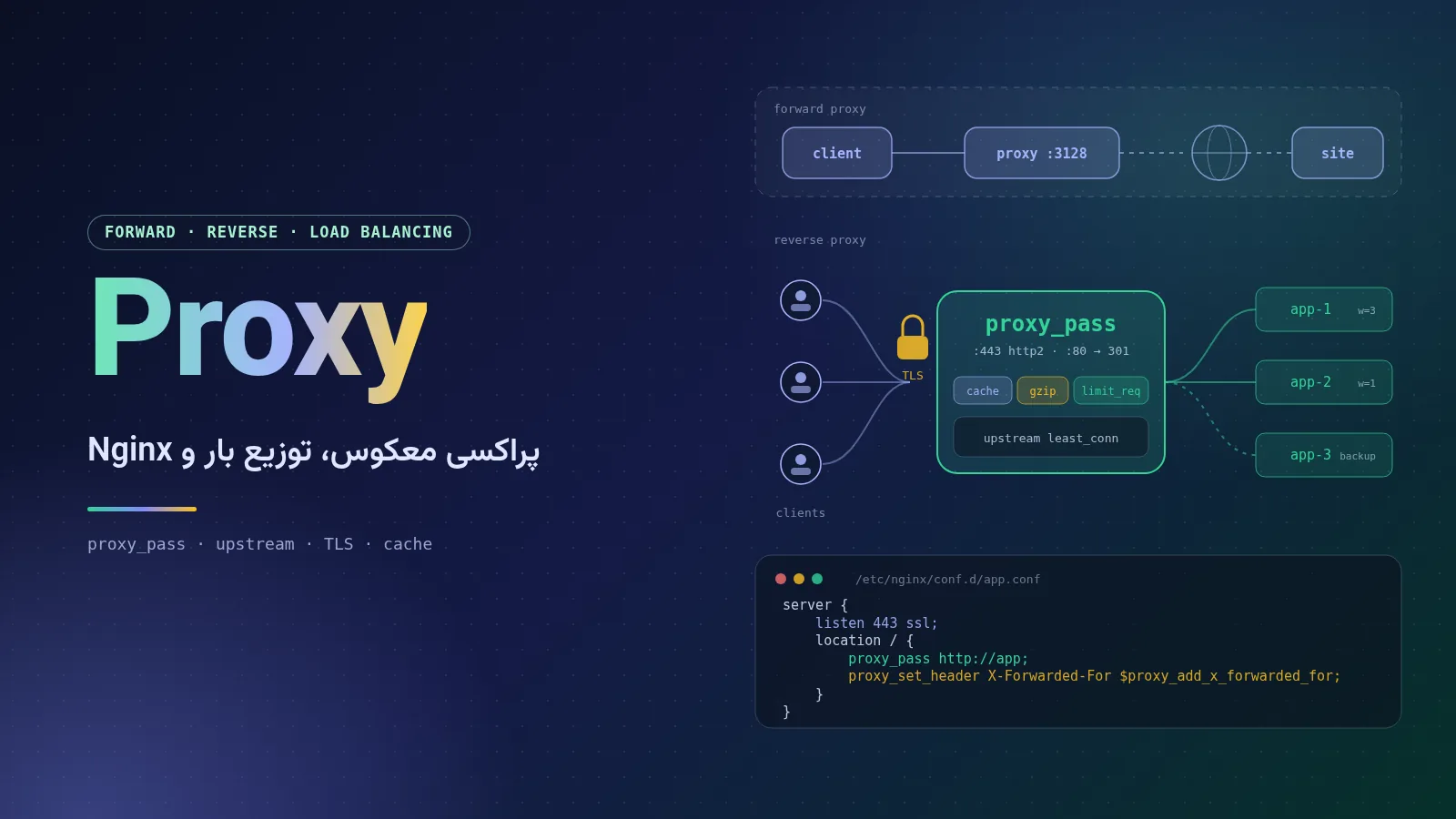
A proxy (or “intermediary server”) is a program or server that sits between a client and a server and relays requests and responses on behalf of one of them. Instead of connecting directly to the destination, the client connects to the proxy; the proxy inspects the request, modifies or rejects it if necessary, forwards it to the destination and returns the response to the client.
Proxies have a wide range of uses: access control, hiding the client’s or server’s address, caching, load balancing, TLS termination and filtering attacks.
1.1. A proxy at a glance
Direct:         [Client] ----------------------------------> [Server]

Forward proxy:  [Client] --> [Forward Proxy] --> Internet --> [Server]
                (client knows about and is configured to use the proxy)

Reverse proxy:  [Client] --> Internet --> [Reverse Proxy] --> [App 1]
                                                         \--> [App 2]
                (client thinks the proxy IS the server)
Section 2 of 15
2. Forward, reverse and transparent proxies
The most important way to classify proxies is by where they sit in the communication path and which side they represent.
2.1. Forward proxy
A forward proxy sits on the client side and talks to the internet on behalf of the users or devices of a network. The browser or operating system is explicitly configured to send requests to the proxy (for example with the HTTP_PROXY and HTTPS_PROXY variables or a PAC file). The destination server sees the proxy’s address, not the user’s. Its main uses are access control and logging, a shared cache, and controlled egress for internal servers. The classic example is Squid.
2.2. Reverse proxy
A reverse proxy sits on the server side and answers internet requests on behalf of one or more backend servers. The client usually has no idea it exists; from the client’s point of view, the proxy is the website. Nginx, HAProxy, Envoy and CDNs are used in this role.
2.3. Transparent proxy
A transparent proxy intercepts traffic without any client-side configuration; typically a router or firewall redirects port 80 traffic to the proxy with rules such as iptables REDIRECT/TPROXY. Public Wi-Fi networks (captive portals) and corporate content filters use this approach. “Transparent” means the user doesn’t have to do anything — not that the proxy hides their identity; this type usually keeps the user’s real address in the headers. For HTTPS traffic, a transparent proxy cannot see the content unless a corporate root certificate is installed on the user’s device; at most it can tell the domain name from the SNI.
2.4. Comparing the three types
Feature
Forward Proxy
Reverse Proxy
Transparent Proxy
Whom does it represent?
Clients
Servers
Usually clients (at the network level)
Where it sits
At the edge of the users’ network
In front of the application servers
On the network path (router, firewall)
Client configuration
Required
Not required
Not required
Who knows it exists?
The client
The server administrator
The network administrator
Common uses
Access control, caching, anonymity
Load balancing, TLS, caching, WAF
Content filtering, captive portals
Examples
Squid, Tinyproxy
Nginx, HAProxy, Envoy, CDNs
Squid in intercept mode
Section 3 of 15
3. Types of proxy by protocol and anonymity
3.1. HTTP proxies and HTTPS tunneling with CONNECT
An HTTP proxy reads HTTP requests in full and can modify headers, cache content or block URLs. HTTPS is different: with the CONNECT method the client asks the proxy to open a TCP tunnel to host:443, and then performs the TLS handshake directly with the destination server. In this case the proxy only relays encrypted bytes and cannot see the request content — unless the organization has enabled TLS inspection by installing its own root certificate on the devices.
# Use an HTTP proxy for one request
curl -x http://proxy.example.com:3128 https://example.org/

# Or for the whole shell session
export HTTP_PROXY=http://proxy.example.com:3128
export HTTPS_PROXY=http://proxy.example.com:3128
export NO_PROXY=localhost,127.0.0.1,.internal.example.com
3.2. SOCKS4 and SOCKS5 proxies
SOCKS is a lower-level protocol than HTTP that relays any kind of TCP connection without interpreting its content. SOCKS4 supports only TCP and IPv4 addresses (SOCKS4a added the ability to send domain names). SOCKS5, defined in RFC 1928, also supports authentication (for example username and password per RFC 1929), IPv6, domain names and UDP. The simplest way to create a personal SOCKS5 proxy is SSH’s dynamic forwarding feature:
# Open a local SOCKS5 proxy on port 1080 through an SSH server
ssh -D 1080 -N user@jump.example.com

# Use it; --socks5-hostname also resolves DNS through the proxy
curl --socks5-hostname 127.0.0.1:1080 https://example.org/
3.3. Anonymity levels: transparent, anonymous and elite
For forward proxies, three (informal but common) anonymity levels are usually distinguished:
Transparent: sends the user’s real address to the destination server in headers such as X-Forwarded-For. Used only for caching or control, not for privacy.
Anonymous: hides the user’s address but reveals, through headers such as Via, that the request came through a proxy.
Elite (high anonymity): adds no headers at all and looks like an ordinary user to the server.
3.4. Caching proxies
A caching proxy keeps cacheable responses so that repeated requests can be answered without going back to the origin server. This is used both on the user side (Squid) and on the server side (Varnish or the Nginx cache). CDNs are, in effect, a global network of caching reverse proxies.
Section 4 of 15
4. What a reverse proxy is used for
Today a reverse proxy is almost a fixed part of any serious web architecture. Its most important jobs are:
Load balancing: spreading requests across several instances of the application so that no server is overloaded and the failure of one server doesn’t take the service down.
SSL/TLS termination: HTTPS is decrypted at the proxy, so applications don’t have to deal with certificates and encryption. If the internal network is not trusted, the proxy can connect to the backend over TLS again (re-encryption).
Caching: keeping frequently requested responses in memory or on disk, dramatically reducing the load on the database and the application.
Compression: compressing text responses with gzip (or Brotli via a third-party module) before sending them to the user.
Security and WAF: rate limiting, IP blocking, filtering methods and paths, adding security headers and plugging in a web application firewall (WAF) such as ModSecurity or Coraza.
Hiding the backends: the origin servers have no public IP and only the proxy is exposed to the internet; the internal structure, ports and software versions stay hidden from attackers.
Routing and a single entry point: requests are sent to different services based on domain name or path — for example /api to a Node.js service and / to the front end.
4.1. The API gateway concept
An API gateway is a reverse proxy specialized for APIs. Besides routing and load balancing, it also handles authentication with API keys or JWTs, per-customer quotas, request and response transformation, versioning, metrics and a developer portal. Products such as Kong (built on Nginx and OpenResty), WSO2 API Manager, Apigee and Envoy Gateway belong to this category. Nginx on its own covers only part of these tasks.
Section 5 of 15
5. Load balancing and its algorithms
In Nginx, a group of backend servers is defined with an upstream block, and the balancing algorithm is chosen with a single directive in that block. If no algorithm is specified, weighted round robin is used.
Algorithm
Nginx directive
How it works
Best for
Round robin
(default)
Requests are distributed to the servers in turn
Servers of equal capacity and similar requests
Weighted
weight=3
A server with a higher weight gets a larger share
Servers of different capacity, canary releases
Least connections
least_conn
The server with the fewest active connections is chosen
Requests of varying duration, WebSocket
IP hash
ip_hash
A client with a fixed IP always goes to the same server
Simple sticky sessions
Generic hash
hash $request_uri consistent
Based on any key, with consistent hashing (ketama)
Cache servers, sharding
Random
random two least_conn
Two random servers, then the less loaded one
Large clusters and multiple load balancers
Least time
least_time header
Average response time and active connections
In open source since mainline 1.31.0
upstream app_backend {
    least_conn;                                   # pick the least busy server
    server 10.0.0.11:8080 weight=3;               # gets ~3x more requests
    server 10.0.0.12:8080 max_fails=3 fail_timeout=30s;
    server 10.0.0.13:8080 backup;                 # used only if the others fail
    server 10.0.0.14:8080 down;                   # temporarily removed

    keepalive 32;                                 # idle connections kept per worker
}
5.1. Health checks
Open-source Nginx has passive health checks: if max_fails errors (default 1) occur within fail_timeout (default 10 seconds), that server is taken out of rotation for the same period. What counts as an “error” is determined by proxy_next_upstream. Active health checks with the health_check directive (periodically sending requests to a path such as /healthz) are only available in the commercial NGINX Plus; with the open-source version you can monitor health externally (for example with Kubernetes probes).
5.2. Session affinity
If the application keeps user state in the memory of a particular server, all requests from a user must go to that server. ip_hash is the simplest way, but behind shared IPs (such as mobile internet) it unbalances the load. Since version 1.29.6 the sticky cookie directive, previously exclusive to NGINX Plus, is also available in open source, and it is included in the 1.30 stable branch. The best approach, however, is to keep sessions in Redis or a database.
Section 6 of 15
6. Getting to know Nginx
6.1. History and current status
Nginx (pronounced “engine-x”) was written by the Russian programmer Igor Sysoev to solve the “C10K problem” — handling tens of thousands of simultaneous connections. Its first public release (0.1.0) came out on October 4, 2004. NGINX Inc. was founded in 2011 to provide support and the commercial NGINX Plus, and in 2019 it was acquired by F5. Nginx is released under the 2-clause BSD license, and its source code is now maintained on GitHub.
Nginx has two release branches: mainline, with an odd minor version number, where new features land; and stable, with an even minor version number, which receives only important and security fixes. The 1.30 stable branch was created on April 14, 2026, and at the time of writing the latest releases are nginx 1.30.6 (stable) and nginx 1.31.7 (mainline), both released on October 14, 2026 with fixes for several security vulnerabilities. The default repositories of Linux distributions usually carry an older version.
Some important changes from the last year or two that directly affect configurations:
Built-in ACME: since August 2025 the official ngx_http_acme_module (package nginx-module-acme) can obtain and renew Let's Encrypt certificates automatically, without Certbot.
Keepalive to backends by default: since version 1.29.7 the default proxy_http_version is 1.1, and the keepalive connection cache in upstream blocks is enabled by default. On older versions these must be set manually.
Header inheritance: the add_header_inherit directive (since 1.29.3) makes the old problem of losing higher-level headers controllable.
In the mainline branch: the ngx_http_tunnel_module for CONNECT requests (since 1.31.0), and in 1.31.5 features such as the Control API, predicate locations and a JSON module were added.
6.2. Event-driven architecture: master and workers
The secret of Nginx’s performance is its event-driven, non-blocking architecture. Unlike the traditional “one process or thread per connection” model, Nginx has a small number of worker processes, and each worker handles thousands of connections at once with an event loop and operating system mechanisms such as epoll on Linux or kqueue on BSD. The result is low, predictable memory usage under heavy load.
Master process: runs as root, reads the configuration, opens the ports and creates and manages the workers. On a reload signal it loads the new configuration without dropping existing connections.
Worker processes: run as an unprivileged user (such as nginx or www-data) and do all the real work of processing requests. Usually worker_processes auto, i.e. one worker per CPU core.
Cache loader and cache manager: when caching is enabled, these two processes load the cache index and keep its size within the allowed limit.
6.3. Compared with Apache, HAProxy, Traefik, Caddy and Envoy
Tool
Language and architecture
Strength
Configuration
Automatic TLS
Typical use
Nginx
C, event-driven
Fast web server, all-round reverse proxy and cache
Declarative text file
With the ACME module or Certbot
In front of applications, static files
Apache httpd
C, MPM model (prefork/worker/event)
Many modules, .htaccess
Text file, per-directory configuration
With mod_md
Shared hosting, traditional PHP
HAProxy
C, event-driven
Specialized L4/L7 load balancer, active health checks, detailed statistics
Text file
Built-in support in recent versions
High-performance load balancing
Traefik
Go
Automatic service discovery in Docker and Kubernetes
Labels, CRDs, files
Built in
Microservices and containers
Caddy
Go
Automatic HTTPS by default, very simple configuration
Caddyfile or JSON API
Built in and on by default
Small and medium sites
Envoy
C++
Dynamic configuration via xDS, strong observability, gRPC
YAML and APIs
Through a control plane
Service meshes and API gateways
Section 7 of 15
7. Installing Nginx on Ubuntu and Docker
7.1. Installing from the Ubuntu repository
The simplest way to install is Ubuntu’s own package. It is stable and well integrated with the system, but its version usually lags behind the latest stable release:
sudo apt update
sudo apt install nginx
nginx -v                       # show the installed version
sudo systemctl enable --now nginx
sudo ufw allow 'Nginx Full'    # open ports 80 and 443 if UFW is enabled
7.2. Installing the latest version from the official nginx.org repository
To get the latest stable or mainline release, use the official repository. The commands below are taken from the Linux packages page on nginx.org (Ubuntu 22.04, 24.04 and 26.04 are supported):
sudo apt install curl gnupg2 ca-certificates lsb-release ubuntu-keyring

curl https://nginx.org/keys/nginx_signing.key | gpg --dearmor \
    | sudo tee /usr/share/keyrings/nginx-archive-keyring.gpg >/dev/null

# Stable branch (use .../packages/mainline/ubuntu for mainline)
echo "deb [signed-by=/usr/share/keyrings/nginx-archive-keyring.gpg] \
https://nginx.org/packages/ubuntu `lsb_release -cs` nginx" \
    | sudo tee /etc/apt/sources.list.d/nginx.list

# Prefer nginx.org packages over the distribution ones
echo -e "Package: *\nPin: origin nginx.org\nPin: release o=nginx\nPin-Priority: 900\n" \
    | sudo tee /etc/apt/preferences.d/99nginx

sudo apt update
sudo apt install nginx
Note that the nginx.org package uses a different directory layout: instead of sites-available and sites-enabled, site files go in /etc/nginx/conf.d/*.conf, and the worker processes run as nginx, not www-data.
7.3. Running with Docker
The official nginx image on Docker Hub has tags for both branches — for example nginx:1.30.6-alpine or nginx:stable-alpine for stable, and nginx:1.31.7 or nginx:mainline for mainline. In production, always pin a specific version.
# Quick test: serve the default page on port 8080
docker run -d --name web -p 8080:80 nginx:1.30.6-alpine

# Validate a config file before using it
docker run --rm -v "$PWD/default.conf:/etc/nginx/conf.d/default.conf:ro" \
    nginx:1.30.6-alpine nginx -t
# compose.yaml: Nginx in front of an app container
services:
  app:
    image: ghcr.io/example/app:1.4.2
    expose:
      - "3000"            # reachable only inside the compose network
  nginx:
    image: nginx:1.30.6-alpine
    depends_on: [app]
    ports:
      - "80:80"
      - "443:443"
    volumes:
      - ./nginx/conf.d:/etc/nginx/conf.d:ro
      - ./certs:/etc/nginx/certs:ro
    restart: unless-stopped
Section 8 of 15
8. Structure of the Nginx configuration files
8.1. nginx.conf and contexts
The main file is usually /etc/nginx/nginx.conf. The configuration consists of directives, which end with ;, and blocks (contexts), delimited by braces. Each directive is allowed only in specific contexts, and settings are inherited from outer blocks into inner ones.
user  nginx;
worker_processes  auto;                 # main context
error_log  /var/log/nginx/error.log warn;
pid        /run/nginx.pid;

events {
    worker_connections  4096;           # per worker process
}

http {                                  # HTTP traffic
    include       /etc/nginx/mime.types;
    default_type  application/octet-stream;
    sendfile      on;
    server_tokens off;                  # hide the version number

    log_format main '$remote_addr - $remote_user [$time_local] "$request" '
                    '$status $body_bytes_sent "$http_referer" '
                    '"$http_user_agent" rt=$request_time urt=$upstream_response_time';
    access_log /var/log/nginx/access.log main;

    upstream app { server 127.0.0.1:3000; }   # backend group

    server {                            # one virtual host
        listen 80;
        server_name example.com;

        location / {                    # rules for a group of URIs
            proxy_pass http://app;
        }
    }

    include /etc/nginx/conf.d/*.conf;   # more server blocks
}

# stream { ... }                        # optional raw TCP/UDP proxying
8.2. sites-available, sites-enabled and include
In the Debian and Ubuntu package, each site has a file in /etc/nginx/sites-available/ and is enabled with a symbolic link in sites-enabled. The include directive is used for shared snippets (such as TLS settings or proxy headers) to reduce repetition.
Nginx first selects the server block by IP and port, and then by the Host header (compared with server_name). If nothing matches, the default_server (or the first server) responds. Then, inside the server, the location block is found in this order:
If a location = /path matches exactly, the search stops there.
Among prefix locations, the longest matching prefix is selected and remembered.
If that prefix has the ^~ modifier, regular expressions are not checked and it is used.
Otherwise regular expressions (~ case-sensitive, ~* case-insensitive) are checked in the order they appear in the file, and the first match wins.
If no regular expression matches, the prefix remembered in step 2 is used.
The mainline branch (since 1.31.5) adds a new type called a predicate location, prefixed with $, which matches on the value of a variable and is checked after regular expressions; this feature is not in stable 1.30.
Section 9 of 15
9. Practical reverse proxy configurations
The examples are written for Nginx 1.30. After every change, run nginx -t and then systemctl reload nginx.
9.1. A basic reverse proxy with the right headers
When Nginx forwards a request to the backend, by default it changes the Host header to the upstream name, and the application cannot see the user’s real address. The following four headers are almost always needed:
server {
    listen 80;
    server_name app.example.com;

    location / {
        proxy_pass http://127.0.0.1:3000;

        proxy_set_header Host              $host;                       # original host name
        proxy_set_header X-Real-IP         $remote_addr;                # client IP
        proxy_set_header X-Forwarded-For   $proxy_add_x_forwarded_for;  # proxy chain
        proxy_set_header X-Forwarded-Proto $scheme;                     # http or https
        proxy_set_header X-Forwarded-Host  $host;
    }
}
A subtle point about proxy_pass: if its URL includes a path (even just /), the part matching the location is removed from the start of the URI and replaced with that path. For example, with location /api/ { proxy_pass http://app/; } a request for /api/users reaches the backend as /users, but without the trailing slash it is sent as /api/users. Also remember that if you write even one proxy_set_header in a block, the headers defined at a higher level are not inherited; it is best to put them all in a separate file and pull it in with include:
upstream api_servers {
    least_conn;
    server 10.0.0.21:8080 max_fails=3 fail_timeout=15s;
    server 10.0.0.22:8080 max_fails=3 fail_timeout=15s;
    keepalive 64;                         # reuse connections to the backends
}

server {
    listen 80;
    server_name api.example.com;

    location / {
        proxy_pass http://api_servers;
        proxy_http_version 1.1;           # default since 1.29.7; needed on older versions
        proxy_set_header Connection "";   # keep upstream connections open (older versions)
        proxy_set_header Host $host;
        proxy_set_header X-Forwarded-For $proxy_add_x_forwarded_for;
        proxy_set_header X-Forwarded-Proto $scheme;

        proxy_next_upstream error timeout http_502 http_503;   # try another server
        proxy_next_upstream_tries 2;
    }
}
Note that by default proxy_next_upstream retries only idempotent requests (such as GET); a POST request that has already been sent is not passed to another server unless you add non_idempotent, which is usually not the right thing to do.
9.3. SSL with Let's Encrypt and Certbot
According to its official documentation, Certbot is preferably installed with snap. The prerequisites are that the domain points to the server and that port 80 is reachable from the internet:
sudo snap install --classic certbot
sudo ln -s /snap/bin/certbot /usr/local/bin/certbot

sudo certbot --nginx -d example.com -d www.example.com   # get + install
# or only obtain the certificate and edit nginx yourself:
sudo certbot certonly --nginx -d example.com -d www.example.com

sudo certbot renew --dry-run      # test automatic renewal
If you prefer to write the configuration yourself, the example below is based on the Intermediate profile of version 6.0 of Mozilla’s guidelines (ssl-config.mozilla.org): TLS 1.2 and 1.3, AEAD ciphers with ECDHE, no server-side cipher order preference and two-year HSTS:
# Redirect all HTTP traffic to HTTPS
server {
    listen 80;
    listen [::]:80;
    server_name example.com www.example.com;
    return 301 https://$host$request_uri;
}

server {
    listen 443 ssl;
    listen [::]:443 ssl;
    http2 on;                                   # the "http2" listen parameter is deprecated
    server_name example.com www.example.com;

    ssl_certificate     /etc/letsencrypt/live/example.com/fullchain.pem;
    ssl_certificate_key /etc/letsencrypt/live/example.com/privkey.pem;

    # Mozilla "intermediate" profile (guidelines v6.0)
    ssl_protocols TLSv1.2 TLSv1.3;
    ssl_ecdh_curve X25519MLKEM768:X25519:prime256v1:secp384r1;  # drop X25519MLKEM768 if OpenSSL < 3.5
    ssl_ciphers ECDHE-ECDSA-AES128-GCM-SHA256:ECDHE-RSA-AES128-GCM-SHA256:ECDHE-ECDSA-AES256-GCM-SHA384:ECDHE-RSA-AES256-GCM-SHA384:ECDHE-ECDSA-CHACHA20-POLY1305:ECDHE-RSA-CHACHA20-POLY1305;
    ssl_prefer_server_ciphers off;

    ssl_session_timeout 1d;
    ssl_session_cache shared:MozSSL:10m;
    ssl_session_tickets off;

    # HSTS: only after HTTPS works everywhere on this domain
    add_header Strict-Transport-Security "max-age=63072000" always;

    location / {
        proxy_pass http://127.0.0.1:3000;
        include /etc/nginx/snippets/proxy-headers.conf;
    }
}
Two up-to-date notes. First, Let's Encrypt removed the OCSP URL from its certificates on May 7, 2025 and shut down its OCSP service on August 6, 2025, so ssl_stapling no longer has any effect with Let's Encrypt certificates and only produces warnings. Second, enable HSTS with care: browsers will connect to the domain only over HTTPS until max-age expires, and adding includeSubDomains covers all subdomains as well.
The alternative to Certbot is Nginx’s built-in ACME module. After installing the nginx-module-acme package from the nginx.org repository:
load_module modules/ngx_http_acme_module.so;    # in the main context

http {
    resolver 127.0.0.53;                         # required by the ACME module

    acme_issuer letsencrypt {
        uri         https://acme-v02.api.letsencrypt.org/directory;
        state_path  /var/cache/nginx/acme-letsencrypt;
        accept_terms_of_service;
    }

    server {
        listen 80;                               # required for ACME HTTP-01 challenges
        location / { return 404; }               # as in the official example
    }

    server {
        listen 443 ssl;
        server_name example.com;
        acme_certificate letsencrypt;
        ssl_certificate       $acme_certificate;
        ssl_certificate_key   $acme_certificate_key;
        ssl_certificate_cache max=2;             # do not parse the cert on every request
    }
}
9.4. Proxying WebSocket
WebSocket starts with an HTTP/1.1 request with Upgrade and Connection headers. These hop-by-hop headers must be passed on explicitly. And because the connection is long-lived, raise proxy_read_timeout (default 60 seconds) or have the application send periodic ping messages:
# http context: 10 MB of keys (~80k entries), up to 2 GB on disk
proxy_cache_path /var/cache/nginx/app levels=1:2 keys_zone=app_cache:10m
                 max_size=2g inactive=60m use_temp_path=off;

server {
    # ...
    location / {
        proxy_pass http://app;
        proxy_cache app_cache;
        proxy_cache_valid 200 301 10m;               # cache good answers for 10 minutes
        proxy_cache_valid 404 1m;
        proxy_cache_use_stale error timeout updating http_500 http_502 http_503 http_504;
        proxy_cache_background_update on;            # refresh in the background
        proxy_cache_lock on;                         # one request fills a missing entry
        proxy_cache_bypass $cookie_session $http_authorization;   # never for logged-in users
        proxy_no_cache     $cookie_session $http_authorization;
        add_header X-Cache-Status $upstream_cache_status always;  # HIT, MISS, STALE...
    }
}
By default Nginx respects the backend’s Cache-Control and Set-Cookie headers and does not cache responses that set cookies. Personalized pages and admin panels must never be stored in a shared cache.
9.6. gzip compression
gzip on;
gzip_comp_level 5;              # good balance between CPU and size
gzip_min_length 1024;           # tiny responses are not worth it
gzip_proxied any;               # also compress proxied responses
gzip_vary on;                   # add "Vary: Accept-Encoding"
gzip_types text/plain text/css application/javascript application/json
           application/xml image/svg+xml;   # text/html is always included
Don’t put already-compressed files (JPEG, PNG, WebP, video, ZIP) in gzip_types; it only burns CPU.
9.7. Rate limiting with limit_req
# http context: 10 requests/second per client IP, 10 MB of state
limit_req_zone  $binary_remote_addr zone=per_ip:10m rate=10r/s;
limit_conn_zone $binary_remote_addr zone=conn_ip:10m;
limit_req_status 429;           # default is 503

server {
    location /api/ {
        limit_req zone=per_ip burst=20 nodelay;   # allow short bursts
        limit_conn conn_ip 20;                    # max parallel connections per IP
        proxy_pass http://api_servers;
    }

    location = /login {
        limit_req zone=per_ip burst=5;            # stricter for brute-force targets
        proxy_pass http://app;
    }
}
If Nginx sits behind a CDN or another load balancer, $binary_remote_addr holds the address of that layer, and all users will share a single limit. In that case, first restore the real address with the realip module:
set_real_ip_from 10.0.0.0/8;        # trust only your own load balancers / CDN ranges
real_ip_header   X-Forwarded-For;
real_ip_recursive on;
9.8. Timeouts, buffers and upload size
client_max_body_size 20m;        # default is 1m -> "413 Request Entity Too Large"
client_body_timeout   15s;
client_header_timeout 15s;
keepalive_timeout     65s;

proxy_connect_timeout 5s;        # backend should accept quickly (default 60s)
proxy_send_timeout    60s;
proxy_read_timeout    60s;       # raise for slow reports or long polling

proxy_buffering on;              # default; frees the backend quickly
proxy_buffer_size 16k;           # first part of the response (headers)
proxy_buffers 8 16k;
For Server-Sent Events or streaming responses, turn buffering off (proxy_buffering off) or have the backend send the X-Accel-Buffering: no header.
The difference between root and alias matters: with root, the location path is appended to the directory, whereas alias replaces that part. With alias, keep the trailing slashes on both sides consistent.
The add_header directive has an old trap: if you write even one add_header in a location, none of the server-level headers are inherited. The classic workaround is to include the same file wherever there is an add_header. Since version 1.29.3 you can use add_header_inherit merge; to have higher-level headers added as well. Test your CSP first with Content-Security-Policy-Report-Only.
Section 10 of 15
10. Nginx as a forward proxy?
Nginx was designed for the reverse proxy role. Its stable version (1.30) does not support the CONNECT method, so it cannot be a full forward proxy for HTTPS. You can build a simple HTTP-only forward proxy with proxy_pass http://$http_host$request_uri and a resolver, but this lacks the features of a real proxy, and if left open carelessly it becomes an abusable “open proxy”.
The situation is changing in the mainline branch: since version 1.31.0 the ngx_http_tunnel_module accepts HTTP/1.1 CONNECT requests and establishes tunnels, and proxy authentication has been added to auth_basic. This module is not yet in any stable branch. For an enterprise forward proxy, the standard tool is still Squid:
# /etc/squid/squid.conf (minimal forward proxy for an internal network)
http_port 3128

acl localnet src 10.0.0.0/8 192.168.0.0/16
acl SSL_ports port 443
acl Safe_ports port 80 443
acl CONNECT method CONNECT

http_access deny !Safe_ports
http_access deny CONNECT !SSL_ports
http_access allow localnet
http_access deny all                  # never run an open proxy

cache_dir ufs /var/spool/squid 2000 16 256
If you only need to route TLS traffic to different servers by domain name without decrypting it, the Nginx stream module with ssl_preread on can decide based on SNI — which is exactly what many layer-4 load balancers do.
Section 11 of 15
11. Common troubleshooting
Before anything else, get to know these tools:
sudo nginx -t                      # syntax check of the whole configuration
sudo nginx -T | less               # print the full merged configuration
sudo systemctl status nginx
sudo journalctl -u nginx --since "10 min ago"
sudo tail -f /var/log/nginx/error.log /var/log/nginx/access.log

ss -tlnp | grep -E ':80|:443|:3000'          # who is listening on which port?
curl -I -H "Host: app.example.com" http://127.0.0.1/   # test a vhost locally
curl -v http://127.0.0.1:3000/health          # talk to the backend directly
openssl s_client -connect example.com:443 -servername example.com </dev/null
Error
Meaning
Common causes and fixes
502 Bad Gateway
The backend did not return a valid response
The application is down or listening on a different port; the Unix socket path or permissions are wrong; on CentOS and RHEL, SELinux is blocking the connection (setsebool -P httpd_can_network_connect 1).
504 Gateway Timeout
The backend did not respond in time
A slow query or slow processing; adjust proxy_read_timeout, but also find the cause of the slowness.
413 Request Entity Too Large
The request body exceeds the allowed size
Increase client_max_body_size.
499 (logs only)
The client closed the connection before the response
Usually a slow backend, or the user closed the page.
Redirect loop
Endless redirects between HTTP and HTTPS
The application doesn’t read X-Forwarded-Proto, or the CDN connects to the server over HTTP.
All users have the same IP
The proxy’s IP is logged instead of the user’s
Send the X-Forwarded-For and X-Real-IP headers and configure the realip module.
upstream sent too big header
The response header is larger than the buffer
Increase proxy_buffer_size and proxy_buffers.
In error.log, messages such as connect() failed (111: Connection refused) while connecting to upstream mean nothing is listening on that port, and upstream timed out (110) means the backend is slow.
Section 12 of 15
12. Performance and security best practices
12.1. Performance
Set worker_processes auto and sufficient values for worker_connections and worker_rlimit_nofile.
Keep keepalive connections to the backend enabled so that a new TCP and TLS connection isn’t created for every request.
Enable HTTP/2 for users; HTTP/3 is also supported in Nginx, but it requires opening UDP 443 and careful testing.
Serve static files directly from Nginx with sendfile and long-lived cache headers.
Enable caching for public, frequently requested pages and measure the HIT ratio with X-Cache-Status.
12.2. Security
Install Nginx from the official repository and keep it up to date; several important vulnerabilities in various modules have been fixed in 2026 alone.
Enable server_tokens off and keep only ports 80 and 443 open; backends should listen only on the internal network or 127.0.0.1.
Create a default_server that closes requests with unknown host names using return 444, so scanners never reach the main site.
Rate-limit sensitive paths such as login and APIs, and protect admin panels with allow/deny or separate authentication.
Block hidden and backup files (.git, .env, *.bak) and keep directory listing (autoindex) off.
Trust X-Forwarded-* headers only from trusted proxies; otherwise an attacker can send a spoofed IP.
Section 13 of 15
13. Glossary
Term
Description
Proxy
An intermediary server that relays requests on behalf of a client or a server.
Forward Proxy
A proxy on the users’ side that connects to the internet on their behalf.
Reverse Proxy
A proxy on the server side that responds on behalf of the backend servers.
TLS Termination
Decrypting HTTPS at the proxy instead of in the application.
SNI
The part of the TLS handshake that announces the target domain name before encryption.
HSTS
A header that tells the browser to connect to the domain only over HTTPS.
ACME
The protocol for automatically obtaining and renewing certificates, used by Let's Encrypt.
CONNECT
The HTTP method for building a TCP tunnel through a proxy, usually for HTTPS.
SOCKS5
A general-purpose proxy protocol for TCP and UDP with authentication support.
Health Check
Checking the health of backend servers so that a faulty server can be taken out of rotation.
WAF
A web application firewall that filters attacks such as SQL injection and XSS.
Section 14 of 15
14. Conclusion
Proxies appear in three main roles: a forward proxy represents users, a reverse proxy represents servers, and a transparent proxy sits on the network path without the user noticing. In today’s web architecture, the reverse proxy handles several important jobs in one place: load balancing, TLS termination, caching and protecting the backend servers.
With its event-driven architecture, low resource usage and readable configuration, Nginx is still one of the best choices for this role. To get started, install Nginx from the official repository, build a simple reverse proxy with the right headers, enable HTTPS with Let's Encrypt, and then add caching, rate limiting and security headers one at a time.
A complete, practical guide to managing secrets with HashiCorp Vault: history, the move to BSL, OpenBao and IBM’s acquisition of HashiCorp, seal/unseal and Raft, tokens and policies, AppRole and Kubernetes, dynamic secrets, PKI and Transit, a Docker Compose setup with TLS, Spring Boot integration and a production checklist.
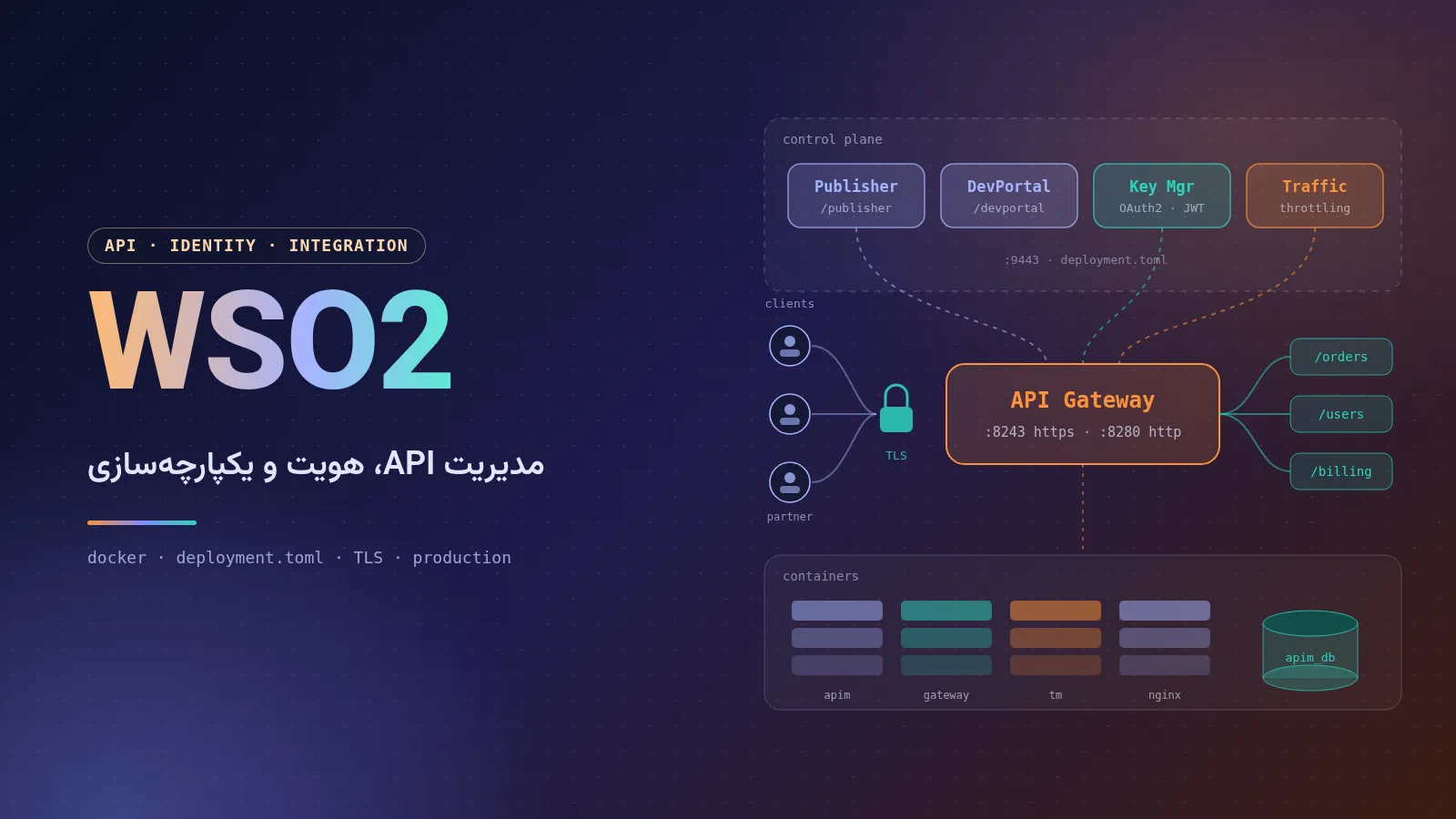
A complete, practical guide to WSO2: the company and its products, the architecture of API Manager 4.7, installation with Docker and Docker Compose, configuring deployment.toml, SSL with Let's Encrypt and Nginx, production deployment tips and a comparison with competitors.
How to set up Call of Duty 4: Modern Warfare for LAN play: installing the multiplayer patches in the right order, entering your CD key, hosting or joining a local server, and connecting from the console.

Comments No comments yet
To leave a comment, open this page in a web browser.