What Is HashiCorp Vault? A Complete Guide to Secrets Management from Concepts to Production with Docker
Mahyar Tolooie ·
·
31 min read
This guide was written in October 2026. Versions, dates and default behaviors have been checked against Vault’s official release notes on GitHub, the documentation at developer.hashicorp.com and official announcements from IBM and OpenBao, and every command in the hands-on sections was run and tested on the hashicorp/vault:2.2.0 image.
A database password in an application.yml file, an API key in a container’s environment variables, a TLS certificate on a server’s disk and an access token in the Git history — almost every software team runs into these scenes sooner or later. The more services, environments and people there are, the more scattered, stale and dangerous these “secrets” become. Many of the big data breaches of recent years started not with a sophisticated attack but with a password left behind in a code repository or an access key with no expiry date.
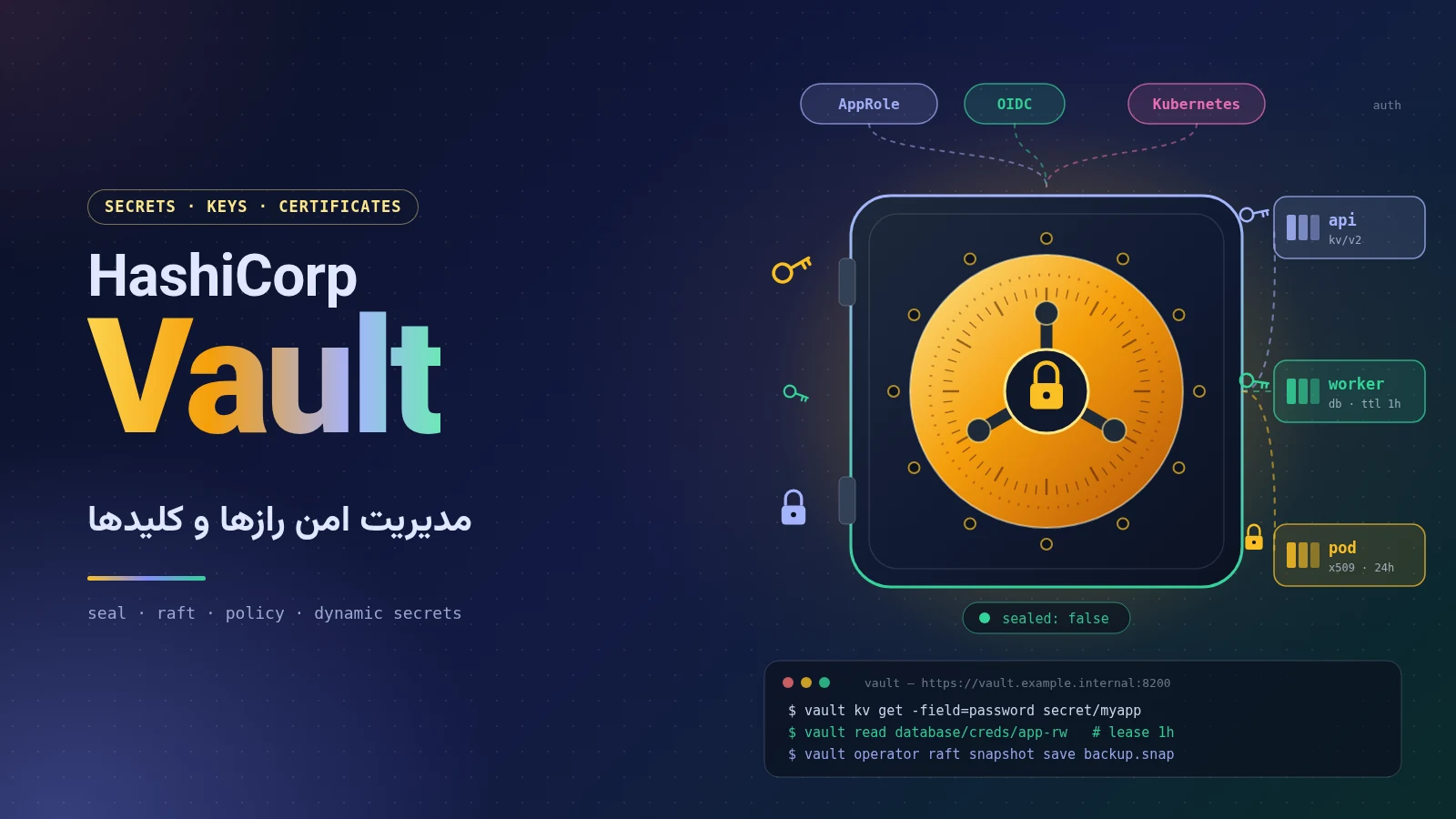
HashiCorp Vault is the best-known open-source (and now source-available) tool for solving exactly this problem: a central “safe” that keeps secrets encrypted, grants access only to authenticated identities according to policy, generates dynamic, short-lived secrets and records an audit log of every access. In this article we start with the basic concepts, review the history and the changes in licensing and ownership, explain the architecture and main components, and finally set Vault up with Docker and Docker Compose, work with it from the CLI and connect it to a Spring Boot application.
Section 1 of 21
1. What is secrets management and why does it matter?
In security terms, a secret is any piece of data whose possession means access: a database password, a payment service’s API key, a TLS private key, a cloud account token, an SSH key or a data encryption key. Secrets management is the set of tools and practices that control the lifecycle of this data: creation, secure storage, distribution to applications, periodic rotation, revocation and auditing.
1.1. The problem of “secret sprawl”
In most organizations secrets gradually spread to many different places — a phenomenon known as secret sprawl. Its consequences are familiar:
Passwords get copied into source code, configuration files, CI/CD scripts and the team wiki, and nobody knows exactly who has access to what.
Shared, permanent passwords go unchanged for years, because changing them might break several services.
When an employee leaves or a server is compromised, there is no accurate list of the secrets that must be changed.
No reliable log shows who read a secret, when, and from where.
1.2. Goals of a secrets management system
Centralization: a single source of truth for all secrets, instead of dozens of scattered files and variables.
Encryption at rest and in transit: no secret ever sits in plain text on disk or on the network.
Identity-based access control: every application or person gets secrets under their own identity and with the least privilege necessary.
Dynamic, short-lived secrets: instead of one permanent password, a temporary credential is created for each request and revoked automatically after a while.
Complete auditing: every read and write is recorded, so it can serve as evidence for incident analysis and for compliance with standards such as ISO 27001, PCI DSS and SOC 2.
Section 2 of 21
2. HashiCorp and Vault: history, licensing and status today
2.1. From startup to IBM
HashiCorp was founded in 2012 by Mitchell Hashimoto and Armon Dadgar, and with tools such as Vagrant, Packer, Consul, Terraform and Nomad it became one of the leading names in infrastructure as code. Vault was introduced as version 0.1 in April 2015, and version 1.0 was released in December 2018. HashiCorp went public on the Nasdaq under the ticker HCP in December 2021.
On April 24, 2024, IBM announced an agreement to acquire HashiCorp for roughly $6.4 billion ($35 per share in cash). After the regulatory process, the acquisition officially closed on February 27, 2025, and HashiCorp is now part of IBM. The products are still sold under the HashiCorp name, and the headers of Vault’s source files now read “Copyright IBM Corp.”.
2.2. The license change: from MPL to BSL
Until the summer of 2023, Vault’s code was released under the open-source Mozilla Public License 2.0 (MPL). On August 10, 2023 HashiCorp announced that all future releases of its products, including Vault and Terraform, would be released under the Business Source License 1.1 (BSL or BUSL). BSL is a source-available license, not open source as defined by the OSI: the code is still published on GitHub, and internal use — even commercial and in production — is permitted; but offering Vault as a paid product or service that competes with HashiCorp is prohibited. Each version reverts to MPL 2.0 four years after its release. The APIs and SDKs, such as the Go client, remained under MPL.
For most teams that run Vault for their own internal needs, this change imposes no practical restriction; but companies that shipped Vault inside their own product or managed service had to find another path.
2.3. OpenBao: the community fork
The community’s response to the license change was OpenBao: a fork of the last MPL-licensed Vault code, which started in late 2023 under the umbrella of the Linux Foundation (initially in LF Edge). Its first stable release, OpenBao 2.0.0, came out in July 2024, and in June 2025 the project moved to the OpenSSF (the Open Source Security Foundation, also part of the Linux Foundation) as a sandbox project. OpenBao is still released under MPL 2.0, and as of October 2026 its latest release is v2.7.1 (released October 1, 2026). Its CLI is invoked as bao instead of vault, and its API is largely compatible with Vault’s, although the two projects have gradually developed different features.
2.4. Editions and delivery models
Vault Community Edition: the free, BSL-licensed edition, which includes all the core features covered in this article (Raft, policies, auth methods, secrets engines, audit).
Vault Enterprise: the commercial edition, with features such as namespaces, performance and DR replication, performance standbys, HSM support, Sentinel and automated snapshot restore.
HCP Vault Dedicated: a managed version of Vault Enterprise on the HashiCorp Cloud Platform, running single-tenant per organization on AWS or Azure. The lighter HCP Vault Secrets service has not been sold since June 30, 2025, and HashiCorp has directed its users to HCP Vault Dedicated or the Community Edition.
2.5. The current version: Vault 2.2.0
Vault stayed on the 1.x branch for years (the last being 1.21 in October 2025), and version 2.0.0 was released on April 14, 2026. According to the Releases page on GitHub, the latest stable version at the time of writing is Vault v2.2.0, released on October 15, 2026, and the hashicorp/vault:2.2.0 image is available on Docker Hub. Some important changes in the 2.x branch that you will run into in practice:
Vault rejects non-canonical paths, such as paths containing “//”, and in 2.2 duplicate attributes in HCL files are also treated as errors; review your configurations before upgrading.
The max_token_header_size listener option limits the size of the token header (8 KB by default).
In 2.2, sensitive endpoints such as sys/rekey and sys/generate-root require authentication by default, and a tls_reload_interval listener option has been added for reloading certificates.
The official Docker image runs as the non-root user vault by default, and the HCP Link feature has been removed.
Section 3 of 21
3. Vault’s architecture at a glance
Vault is a single Go binary that acts as both the server and the CLI. All communication goes through an HTTP API; the CLI, the web UI and the client libraries all call this same API. The main components can be summarized as follows:
Barrier: everything Vault writes to storage is encrypted with AES-256-GCM before it leaves the core. The storage never sees unencrypted data and is not trusted.
Auth method: verifies the client’s identity (for example a username, a Kubernetes role or an OIDC token) and, on success, issues a token.
Policy: determines which operations each token may perform on which paths. Vault is “deny by default”.
Secrets engine: plugins mounted on a path that store, generate or encrypt secrets.
Expiration manager: manages the lifecycle of leases and the automatic revocation of dynamic secrets.
Audit device: records every request and response to an audit destination (a file, syslog or a socket).
The key point is that in Vault everything is a “path”: secret/data/myapp is a secret in the KV engine, auth/approle/login is an AppRole login and sys/policies/acl is where policies are managed. Policies are written against exactly these paths.
Section 4 of 21
4. Seal and unseal: Shamir keys and auto-unseal
After every start, Vault is sealed: the data is in storage, but Vault doesn’t have the key needed to decrypt it and answers no requests except status and unseal. The data is encrypted with an encryption key, which is itself encrypted with a root key (called the master key in older versions). Unsealing means reconstructing that root key in memory.
4.1. Shamir’s secret sharing
By default, during initialization (vault operator init) Vault splits the root key into several key shares using Shamir's Secret Sharing — for example 5 shares, any 3 of which are enough to reconstruct it. The shares are distributed among several trusted people, so no single person can open Vault alone. The drawback is obvious: after every restart or failure, several people have to enter their keys by hand.
4.2. Auto-unseal with a KMS
With auto-unseal, protecting the root key is delegated to a trusted key management service: AWS KMS, Azure Key Vault, Google Cloud KMS, OCI KMS, another Vault cluster (Transit seal) or, in the Enterprise edition, an HSM via PKCS#11. On startup Vault reads the encrypted root key from storage and sends it to the KMS to be decrypted. In this mode, instead of unseal keys, init issues several recovery keys, which are needed for sensitive operations such as generating a new root token.
# Auto-unseal with AWS KMS (credentials come from the instance role / IRSA)
seal "awskms" {
  region     = "eu-central-1"
  kms_key_id = "alias/vault-unseal"
}
Access to the KMS key is effectively the key to the whole of Vault; protect it with strict IAM, CloudTrail logging and account separation.
Section 5 of 21
5. Storage backends and Integrated Storage (Raft)
Vault keeps its encrypted data in a storage backend. There are many options (file, in-memory, Consul, PostgreSQL, DynamoDB, …), but HashiCorp’s official recommendation for almost all new deployments is Integrated Storage, based on the Raft consensus algorithm:
It has no external dependencies; data is stored on the Vault nodes’ own disks and replicated between them.
It provides high availability natively: one node is the leader (active) and the others are standbys; if the leader is lost, another node is elected.
It comes with the vault operator raft snapshot tool for backup and restore, and with retry_join nodes join the cluster automatically.
Raft needs a majority (quorum) to make decisions, which is why clusters are built with an odd number of nodes. A 3-node cluster tolerates the failure of one node, and a 5-node cluster tolerates two. The file backend is only suitable for single-node testing, and inmem only for dev mode.
Nodes
Quorum
Fault tolerance
Use
1
1
0
Testing and development
3
2
1 node
Minimum for production
5
3
2 nodes
Recommended for production (e.g. across three availability zones)
Section 6 of 21
6. Tokens and policies
6.1. Tokens
The token is Vault’s core authentication mechanism; every auth method ultimately issues a token, which the client sends in the X-Vault-Token header. Each token has a set of policies, a TTL (time to live), a max TTL and an accessor (an identifier for managing the token without knowing the token itself). Tokens are hierarchical: revoking a parent token also revokes all of its children. The important types:
Service token: the default type; renewable and can have children.
Batch token: lightweight, not persisted to storage and not renewable; suited to high volumes of short requests.
Periodic token: has no max TTL and stays valid as long as it is renewed within each period; for long-running services.
Root token: has unlimited access. It is only for initial setup and emergencies, and should be revoked once configuration is done.
6.2. Policies in HCL
Policies are written in HCL (or JSON) and define a set of capabilities for each path: create, read, update, patch, delete, list, sudo and deny. Paths can be generalized with * (prefix) and + (a single path segment), and deny always takes precedence. There are two built-in policies: root and default.
# myapp-read.hcl: read-only access to the application's KV v2 secrets
path "secret/data/myapp/*" {
  capabilities = ["read"]
}

# Allow listing keys (KV v2 keeps metadata under a separate prefix)
path "secret/metadata/myapp/*" {
  capabilities = ["list"]
}

# Explicitly forbid the production database credentials
path "secret/data/myapp/prod/db" {
  capabilities = ["deny"]
}
In the KV version 2 engine, data lives under secret/data/ and metadata under secret/metadata/; forgetting this is the most common cause of permission denied errors, because the CLI shows the path without data/.
Section 7 of 21
7. Auth methods
Auth methods are enabled under the auth/ path and accept identities from different sources. Choosing the right one is the key to solving the “secret zero” problem: to get a secret from Vault, an application should not itself depend on another permanent secret.
Method
Best for
Note
Token
Administrators, one-off scripts
Always enabled; the basis of all other methods
Userpass
Human users in small environments
Simple, but OIDC/LDAP is better for organizations
AppRole
Services, machines and CI/CD
Combines a role ID (like a username) with a secret ID (short-lived and restricted)
Kubernetes
Pods in Kubernetes
Uses the service account token and the TokenReview API; no extra secret
OIDC / JWT
SSO logins for people and CI tokens such as GitHub Actions and GitLab
For services outside the cloud, AppRole is the most common choice. The role ID can be baked into an image or configuration, but the secret ID must be delivered through a trusted channel (for example the deployment pipeline), preferably with response wrapping — a single-use token that can be unwrapped only once and only for a short time. In Kubernetes and in the cloud, use the platform’s native method so that no secret ID is needed at all.
Section 8 of 21
8. Secrets engines
Each secrets engine is mounted on its own path, and you can have several instances of the same type with different configurations (for example kv-team-a/ and kv-team-b/). The most important ones:
8.1. KV version 2
Key-value storage with versioning: every write creates a new version, and previous versions (10 by default) can be retrieved. Soft delete (delete), restore (undelete), permanent deletion (destroy) and conditional writes with cas (check-and-set) to prevent concurrent overwrites are all supported.
8.2. Database: dynamic secrets
Perhaps Vault’s most powerful feature: instead of a shared, permanent password, Vault creates a new database user with a random password and a defined TTL for each request, and deletes it when the lease ends. PostgreSQL, MySQL/MariaDB, MSSQL, Oracle, MongoDB, Redis, Elasticsearch and Snowflake are among the supported databases. Static roles also rotate the passwords of existing accounts automatically on a schedule. Because every application instance has its own username, the database log also shows which service did what.
8.3. PKI: an internal certificate authority
Vault can act as the organization’s root or intermediate CA and issue short-lived X.509 certificates (for example valid for 24 hours) to services within milliseconds — ideal for mTLS between microservices. Support for ACME, CRLs and OCSP, multiple issuers and, in recent versions, post-quantum algorithms such as ML-DSA has been added.
8.4. Transit: encryption as a service
Transit doesn’t store your data; it only encrypts, decrypts, signs or HMACs it. The application sends plain text, receives ciphertext such as vault:v1:... and stores it in its own database. Keys never leave Vault, key rotation takes a single command, and rewrap moves old data to the new key version without exposing the plain text.
8.5. AWS and other clouds
The AWS engine creates a temporary IAM user for each request — or better, STS credentials based on an assumed role with a specific access policy. Similar engines exist for Azure, Google Cloud, SSH (key signing with a CA), LDAP/Active Directory, RabbitMQ, Consul, Nomad and Kubernetes (creating service account tokens).
Section 9 of 21
9. Leases: renewing and revoking secrets
Every dynamic secret and every token has a lease: a unique ID, a validity period (lease_duration) and the ability to be renewed. When the lease expires, Vault revokes the secret itself — for example by deleting the database user. This means a leaked secret becomes worthless on its own a few hours later.
Renew: the application renews the lease before it expires; a renewal never extends beyond the max TTL.
Revoke: immediate revocation of a lease; with -prefix you can revoke all leases under a path at once. This is the main incident response tool.
TTLs are hierarchical: system, mount and role settings each narrow the ceiling further.
# Inspect, renew and revoke a dynamic database credential
vault lease lookup database/creds/app-rw/7bdS0hSt0mZ2j8HWJfYCxRcR
vault lease renew -increment=2h database/creds/app-rw/7bdS0hSt0mZ2j8HWJfYCxRcR

# Revoke one lease, or every credential ever issued by the role
vault lease revoke database/creds/app-rw/7bdS0hSt0mZ2j8HWJfYCxRcR
vault lease revoke -prefix database/creds/app-rw
The official clients, Vault Agent and Spring Cloud Vault renew leases automatically; if you write your own client, renew at around two thirds of the TTL and plan for fetching new credentials if renewal fails.
Section 10 of 21
10. Audit devices and namespaces
10.1. Audit devices
Audit devices record every request and response in full detail (identity, path, operation, IP and time). Sensitive values such as tokens and the secrets themselves are hashed with HMAC-SHA256 so the log is searchable without revealing the secrets. There are three types: file, syslog and socket. One critical point: if Vault cannot write to any of the enabled audit devices, it stops answering requests in order to stay secure. So have at least two audit devices and monitor the log disk for filling up.
# Enable a file audit device and ship the file to your SIEM
vault audit enable file file_path=/vault/logs/audit.log
vault audit list -detailed
10.2. Namespaces
Namespaces (a feature of Vault Enterprise and HCP Vault Dedicated) split one cluster into several independent “virtual Vaults”; each namespace has its own policies, auth methods, secrets engines and tokens, and its administration can be delegated to a team or tenant. In the Community Edition the same separation is emulated with separate mounts, path naming (for example kv/team-a/) and precise policies.
Section 11 of 21
11. Quick start: Vault in dev mode with Docker
The fastest way to get familiar with Vault is dev mode: Vault runs in memory, is initialized and unsealed automatically, the KV version 2 engine is enabled at secret/ and the root token is predefined. Never use this mode in production; it has no TLS, and all data is lost when the container stops.
# Dev mode: in-memory, auto-unsealed, HTTP only. For learning ONLY.
docker run -d --name vault-dev \
  -p 127.0.0.1:8200:8200 \
  -e VAULT_DEV_ROOT_TOKEN_ID=dev-only-token \
  -e VAULT_DEV_LISTEN_ADDRESS=0.0.0.0:8200 \
  hashicorp/vault:2.2.0

# Point the CLI at it (inside the container or with a local vault binary)
export VAULT_ADDR=http://127.0.0.1:8200
export VAULT_TOKEN=dev-only-token
vault status
The output of vault status should show Sealed false and Storage Type inmem. The web UI is also available at http://127.0.0.1:8200/ui with the same token. If you haven’t installed the CLI on your machine, run the commands with docker exec -it vault-dev vault ....
Section 12 of 21
12. A production-like setup with Docker Compose
In this section we build a single Vault node with Integrated Storage (Raft), TLS, persistent volumes and the UI on port 8200. This layout is suitable for a lab, a staging environment or a small internal service; for real production it should be extended to a 3- or 5-node cluster with auto-unseal (section 15).
About mlock and IPC_LOCK: traditionally Vault calls mlock to keep its memory from being swapped out, and in a container that requires the IPC_LOCK capability. For Integrated Storage, HashiCorp recommends disable_mlock = true (because mlock doesn’t work well with Raft’s memory-mapped files) and turning off swap on the host instead. The 2.2 release notes on the container image suggest the same approach. Adding cap_add: IPC_LOCK is harmless, and it becomes necessary if you keep mlock enabled in some image or configuration.
Note that command runs vault server -config=... directly, so that only this configuration file is loaded and the default flags of the image’s entrypoint script (which are meant for dev mode) don’t interfere. The healthcheck reports unhealthy until Vault is unsealed, because vault status returns exit code 2 for a sealed Vault.
12.4. Initialization and unsealing
docker compose up -d
docker exec vault-1 vault status            # Initialized false, Sealed true

# Initialize: 5 key shares, any 3 can unseal. Store the output OFFLINE and split it!
docker exec vault-1 vault operator init -key-shares=5 -key-threshold=3

# Run three times, each time with a different unseal key (prompted, not echoed)
docker exec -it vault-1 vault operator unseal
docker exec -it vault-1 vault operator unseal
docker exec -it vault-1 vault operator unseal

docker exec vault-1 vault status            # Sealed false, Storage Type raft, HA Mode active
The output of init contains 5 unseal keys and an initial root token. Never keep this output in a shared terminal, a chat or an unencrypted file; distribute the shares among different people, or use the -pgp-keys flag to encrypt each share with its owner’s PGP key. Once unsealed, the UI is available at https://vault.example.internal:8200/ui (add the lab CA to your browser or system trust store).
# Log in with the initial root token only to bootstrap, then enable the basics
docker exec -it vault-1 vault login
docker exec vault-1 vault secrets enable -path=secret kv-v2
docker exec vault-1 vault audit enable file file_path=/vault/logs/audit.log
docker exec vault-1 vault operator raft list-peers
# Take a first snapshot (copy it off the host afterwards)
docker exec vault-1 vault operator raft snapshot save /vault/file/first.snap
Section 13 of 21
13. Hands-on with the CLI: KV, policies and AppRole
13.1. Writing and reading secrets in KV
# Write two keys at secret/myapp/config (KV v2 creates version 1)
vault kv put -mount=secret myapp/config db.username=app db.password='S3cr3t!'

# Read the whole secret, a single field, or JSON for scripts
vault kv get -mount=secret myapp/config
vault kv get -mount=secret -field=db.password myapp/config
vault kv get -mount=secret -format=json myapp/config

# Versioning: update, read an older version, roll back
vault kv patch -mount=secret myapp/config db.password='N3wS3cr3t!'
vault kv get -mount=secret -version=1 myapp/config
vault kv rollback -mount=secret -version=1 myapp/config
vault kv metadata get -mount=secret myapp/config
13.2. Defining a policy
# Upload the read-only policy shown in section 6
vault policy write myapp-read myapp-read.hcl
vault policy list
vault policy read myapp-read

# Quick test: a short-lived token that only has this policy
vault token create -policy=myapp-read -ttl=15m
13.3. Machine login with AppRole
vault auth enable approle

# Role for the "myapp" service: short tokens, limited Secret IDs
vault write auth/approle/role/myapp \
  token_policies="myapp-read" \
  token_ttl=1h token_max_ttl=4h \
  secret_id_ttl=24h secret_id_num_uses=10

# Role ID is not secret; Secret ID is (deliver it via your CD pipeline)
vault read -field=role_id auth/approle/role/myapp/role-id
vault write -f -field=secret_id auth/approle/role/myapp/secret-id

# Better: hand over a wrapped Secret ID that can be unwrapped once within 120s
vault write -wrap-ttl=120s -f auth/approle/role/myapp/secret-id

# The application logs in and receives its own token
vault write auth/approle/login role_id="$ROLE_ID" secret_id="$SECRET_ID"

# With that token it can read, but not write
VAULT_TOKEN="$APP_TOKEN" vault kv get -mount=secret myapp/config     # OK
VAULT_TOKEN="$APP_TOKEN" vault kv put -mount=secret myapp/config x=1 # permission denied
13.4. PostgreSQL dynamic secrets and encryption with Transit
# Dynamic PostgreSQL users
vault secrets enable database
vault write database/config/appdb \
  plugin_name=postgresql-database-plugin \
  allowed_roles="app-rw" \
  connection_url="postgresql://{{username}}:{{password}}@db.example.internal:5432/appdb" \
  username="vault_admin" password="initial-password"
# Rotate the bootstrap password so only Vault knows it
vault write -f database/rotate-root/appdb

vault write database/roles/app-rw db_name=appdb default_ttl=1h max_ttl=24h \
  creation_statements="CREATE ROLE \"{{name}}\" WITH LOGIN PASSWORD '{{password}}' VALID UNTIL '{{expiration}}'; \
    GRANT SELECT, INSERT, UPDATE, DELETE ON ALL TABLES IN SCHEMA public TO \"{{name}}\";"
vault read database/creds/app-rw        # new username/password + lease_id every time

# Encryption as a service
vault secrets enable transit
vault write -f transit/keys/orders
vault write transit/encrypt/orders plaintext=$(echo -n "4111-1111-1111-1111" | base64)
vault write -field=plaintext transit/decrypt/orders ciphertext="vault:v1:..." | base64 -d
vault write -f transit/keys/orders/rotate     # new key version; old ciphertext still decrypts
Section 14 of 21
14. Integrating with applications and Spring Boot
There are three main patterns for delivering secrets to an application:
Client library: the application talks to the API directly — for example Spring Cloud Vault, the official Go client or the hvac library in Python. The most control, but the application depends on Vault.
Vault Agent / Vault Proxy: a helper process (sidecar) that handles authentication and token and lease renewal, and renders secrets into files or environment variables using templates; the application knows nothing about Vault.
Kubernetes: with the Agent Injector (annotations on pods), the Vault Secrets Operator, which syncs secrets into Kubernetes Secrets, or the CSI driver.
14.1. Spring Boot with Spring Cloud Vault
Spring Cloud Vault adds Vault secrets directly to Spring’s PropertySources, so KV keys are available like any other property via @Value or @ConfigurationProperties — you can even keep spring.datasource.password directly in Vault. Version 5.0.x of the project works with Spring Boot 4, and version 4.3.x with Spring Boot 3.5; set the version through the official spring-cloud-dependencies BOM. The complete code for this example is available in the vault-spring-boot-sample repository, the companion sample for this article.
<!-- pom.xml: version comes from the spring-cloud-dependencies BOM -->
<dependency>
  <groupId>org.springframework.cloud</groupId>
  <artifactId>spring-cloud-starter-vault-config</artifactId>
</dependency>
First write the service’s secrets under a path named after spring.application.name, and give the appropriate policy to its AppRole:
vault kv put -mount=secret orders-service \
  spring.datasource.username=orders \
  spring.datasource.password='Str0ngP@ss' \
  payment.api-key='pk_live_xxx'

# orders-service.hcl: what the service may read
#   path "secret/data/orders-service"   { capabilities = ["read"] }
#   path "secret/data/application"      { capabilities = ["read"] }
# src/main/resources/application.yml
spring:
  application:
    name: orders-service          # KV path: secret/orders-service (+ /{profile})
  config:
    import: "vault://"            # load Vault as a config source at startup
  cloud:
    vault:
      uri: https://vault.example.internal:8200
      authentication: APPROLE
      app-role:
        role-id: ${VAULT_ROLE_ID}        # injected by the platform, never committed
        secret-id: ${VAULT_SECRET_ID}
        app-role-path: approle
      ssl:
        trust-store: classpath:vault-truststore.p12   # trust the Vault CA
        trust-store-password: ${TRUSTSTORE_PASSWORD}
      kv:
        enabled: true
        backend: secret           # KV v2 mount
        default-context: application
      fail-fast: true             # refuse to start without secrets
// PaymentClient.java: secrets are ordinary Spring properties
@Service
public class PaymentClient {

    // Resolved from secret/orders-service in Vault at startup
    @Value("${payment.api-key}")
    private String apiKey;

    public String authorizationHeader() {
        // Never log the secret itself
        return "Bearer " + apiKey;
    }
}
For dynamic database secrets, just set spring.cloud.vault.database.enabled=true and spring.cloud.vault.database.role=app-rw; on startup Spring Cloud Vault obtains a temporary user, puts it into spring.datasource.username/password and keeps renewing the lease while the application runs. In Kubernetes, with authentication: KUBERNETES and a suitable role, you don’t need a role ID or secret ID at all.
Section 15 of 21
15. Production deployment checklist
TLS everywhere: listeners only with TLS 1.2 or 1.3 and a valid internal certificate — and never tls_disable or VAULT_SKIP_VERIFY in production.
An HA cluster with Raft: 3 or 5 nodes in different availability zones, retry_join for automatic joining, and a load balancer that identifies the active node via /v1/sys/health.
Auto-unseal: with a cloud KMS or an HSM, so that a night-time restart or a node failure doesn’t require several people to be present; protect the recovery keys just like unseal keys.
Regular snapshots: scheduled vault operator raft snapshot save, transfer to a separate, encrypted store, and tested restores in a separate environment.
Audit: at least two audit devices, forwarding to a SIEM, and alerts for disks filling up.
Revoke the root token: after setup, run vault token revoke on the root token, and when needed generate a temporary one with vault operator generate-root with the key holders present.
Least privilege: one policy per service, no broad *, short TTLs and dynamic secrets preferred over static ones.
Host hardening: swap off, core dumps disabled, running as a non-root user, a firewall on ports 8200 and 8201, and no other services running on the Vault nodes.
Monitoring: Prometheus metrics from /v1/sys/metrics, with alerts for sealing, leader changes, request latency, lease growth and certificate expiry.
Regular upgrades: follow the release notes and security advisories; upgrade staging first, then the standby nodes and finally the leader, taking a snapshot before every upgrade.
Break-glass: document the emergency procedure and where the keys are kept, and rehearse it periodically.
Section 16 of 21
16. Vault compared with alternatives
Vault is not the only option. The table below gives an overview of common tools:
Tool
Type and license
Dynamic secrets
Best environment
Key point
HashiCorp Vault
Self-hosted (BSL) or HCP Vault Dedicated
Yes, extensive
Multi-cloud, hybrid and on-prem
The most complete feature set; requires operational expertise
OpenBao
Self-hosted, MPL 2.0
Yes
Same as Vault
Community-driven open-source fork under the OpenSSF
AWS Secrets Manager
Managed service
Automatic rotation with Lambda
AWS
Deep IAM integration; priced per secret
AWS KMS
Key management service
No (keys, not secrets)
AWS
For encryption and auto-unseal; not a replacement for a secrets store
Azure Key Vault
Managed service
Limited
Azure
Secrets, keys and certificates in one service; managed HSM
Google Secret Manager
Managed service
No (event-driven rotation)
Google Cloud
Simple and inexpensive; versioning and IAM
CyberArk Conjur
Open source and commercial
Limited
Large enterprises
Focus on machine identity and PAM
Doppler / Infisical
SaaS; Infisical is also open source and self-hostable
Infisical: yes
Development teams and startups
Excellent user experience and sync with platforms
Kubernetes Secrets
Built into Kubernetes
No
Kubernetes only
Only Base64 by default; enable etcd encryption and RBAC separately
Sealed Secrets / SOPS
Open source, GitOps
No
Git and Kubernetes
Encrypted secrets in Git; no leases, auditing or dynamic secrets
Rule of thumb: if you are entirely on one cloud and only have static secrets, that cloud’s native service is simpler and cheaper. If you are multi-cloud or on-prem, or want dynamic secrets, an internal PKI or encryption as a service, Vault or OpenBao are the natural choice. Sealed Secrets and SOPS are a good complement for GitOps, not a replacement for a full secrets manager.
Section 17 of 21
17. Pros and cons of Vault
17.1. Pros
Cloud- and platform-independent; the same API for on-prem, Kubernetes and every cloud.
Dynamic secrets, leases and instant revocation dramatically reduce the impact of a leak.
A large set of auth methods and secrets engines, from databases to PKI and SSH.
Encryption as a service (Transit) without the keys ever leaving Vault.
Detailed auditing, fine-grained policies and a large ecosystem (Terraform provider, Agent, Operator, libraries).
A large user community, extensive documentation and commercial support from IBM/HashiCorp.
17.2. Cons
Operational complexity: unsealing, the Raft cluster, backups, upgrades and monitoring require a trained team.
Vault itself is a critical dependency; if it is unavailable, deployments and service startups can grind to a halt.
The BSL license restricts companies that ship Vault inside their own product or service.
Important features such as namespaces, replication and HSM support are Enterprise-only, and the cost is high for small organizations.
The learning curve for concepts such as paths, policies and TTLs is significant for newcomers.
Section 18 of 21
18. Common troubleshooting
Symptom
Likely cause
Fix
Vault is sealed
A node restart or loss of access to the KMS
vault operator unseal, or check the KMS IAM/network
permission denied on KV
Forgetting data/ or metadata/ in the policy
Write the policy path as secret/data/...; run vault token capabilities
x509: certificate signed by unknown authority
The CA is not known to the client
Set VAULT_CACERT or the truststore — not VAULT_SKIP_VERIFY
connection refused or server gave HTTP response to HTTPS client
http/https mismatch in VAULT_ADDR
Match the protocol and port to the listener
permission denied on /vault/file in Docker
The volume or bind mount ownership doesn’t match the vault user (uid 100)
Use a named volume or run chown 100:1000
mlock error when the container starts
IPC_LOCK is missing while mlock is enabled
disable_mlock = true and swap off, or add cap_add: IPC_LOCK
All requests hang
Vault cannot write to an audit device (e.g. the disk is full)
Free up space, rotate logs and keep at least two audit devices
The cluster has no leader
Loss of Raft quorum
Bring the nodes back; in the worst case restore from a snapshot or use peers.json
lease not found or sudden DB disconnects
Max TTL reached or lease revoked
Review the TTLs and implement logic to fetch new credentials
Configuration error after upgrading to 2.x
Non-canonical paths or duplicate attributes in HCL
Read the release notes and test the configuration in staging
# Handy diagnostics
vault status                                     # sealed? HA mode? version?
vault token lookup                               # who am I, which policies, TTL left
vault token capabilities secret/data/myapp/config
vault operator raft list-peers                   # cluster membership and leader
vault read sys/health                            # same data the load balancer sees
vault debug -duration=2m -output=/tmp/vault-debug.tar.gz   # bundle for support
Section 19 of 21
19. Glossary
Term
Description
Secret
Any data whose possession means access: a password, key, token or certificate
Seal / Unseal
Vault’s locked state after startup / reconstructing the root key in memory to open it
Shamir's Secret Sharing
Splitting a key into n shares, any k of which are enough to reconstruct it
Auto-unseal
Delegating protection of the root key to a KMS or HSM so Vault opens automatically
Barrier
The encryption layer between Vault’s core and storage
Integrated Storage (Raft)
Vault’s built-in, replicated storage with no external dependencies
Token
An access credential issued after authentication, to which policies are attached
Policy
HCL rules that define which capabilities are allowed on each path
Auth Method
An authentication method, such as AppRole, Kubernetes, OIDC or Userpass
Secrets Engine
A plugin that stores or generates secrets on a path, such as KV, Database, PKI or Transit
Dynamic Secret
A credential created on request and revoked when its lease ends
Lease
The validity period and renewable/revocable ID of a dynamic secret or token
Response Wrapping
Delivering a response as a single-use, short-lived token
Audit Device
A destination where all requests and responses are recorded with HMAC
Namespace
Splitting one cluster into several independent virtual Vaults (Enterprise)
Vault Agent
A helper process that authenticates, renews and renders secrets for an application
Section 20 of 21
20. Conclusion
Secrets management is no longer a “side task”; it is an important part of the security of any modern system. With its encryption barrier, path-based policies, diverse auth methods, dynamic secrets with leases and complete auditing, HashiCorp Vault solves the problem of secret sprawl at its root. Today, at version 2.2.0 and under IBM’s umbrella, Vault is being developed more actively than ever, and for those for whom an open-source license is essential, OpenBao is a serious, compatible alternative.
A suggested path to get started: run Vault in dev mode and work with KV, policies and AppRole; then bring up this article’s Docker Compose setup with Raft and TLS and connect a real service to it — a Spring Boot application, for example. When you are ready for production, follow the checklist in section 15 to the letter: a three- or five-node cluster, auto-unseal, snapshots, auditing, revoking the root token and monitoring. And don’t forget: the best secret is one with a short life.
A complete, plain-language guide to proxy servers: forward, reverse and transparent proxies, HTTP and SOCKS, load-balancing algorithms, and a full Nginx tutorial covering installation, configuration structure, reverse proxying, SSL with Let's Encrypt, WebSocket, caching, rate limiting, security headers and troubleshooting 502 and 504 errors.
A complete, practical guide to WSO2: the company and its products, the architecture of API Manager 4.7, installation with Docker and Docker Compose, configuring deployment.toml, SSL with Let's Encrypt and Nginx, production deployment tips and a comparison with competitors.
How to set up Call of Duty 4: Modern Warfare for LAN play: installing the multiplayer patches in the right order, entering your CD key, hosting or joining a local server, and connecting from the console.
Comments No comments yet
To leave a comment, open this page in a web browser.